
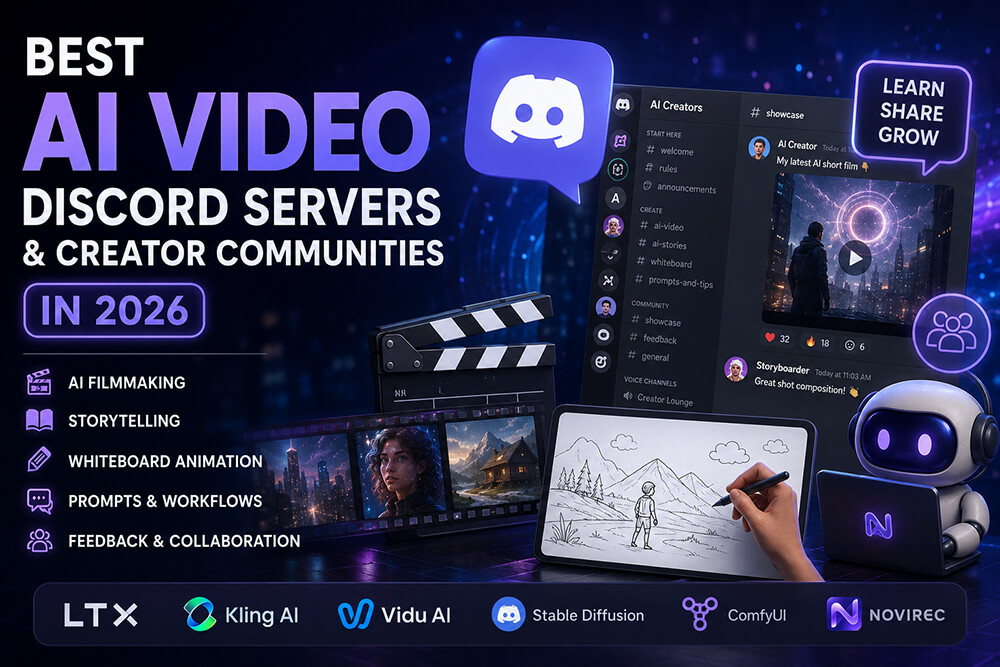
AI video tools are improving quickly, but learning the software is only part of the challenge.
Creators also need places to compare workflows, troubleshoot generations, discover prompting techniques, share finished videos and learn what other people are doing with new models.
That is where AI video Discord servers and creator communities can be especially useful.
Some communities revolve around a specific platform such as Kling, LTX or Vidu. Others cover a wider range of generative AI tools, local workflows, ComfyUI, filmmaking and creative experimentation.
This guide compares some of the most useful AI creator communities available in 2026 and explains which type of creator each one is best suited for.
Quick note: Discord member counts change continuously. Discord itself notes that Discovery member statistics are approximate and may lag by several days. (Discord)
Quick Picks
If you want the short version:
| Community | Best for | Approx. members |
|---|---|---|
| LTX | AI filmmaking, storytelling and creator/developer workflows | 70K+ (Discord) |
| Kling AI | Kling video generation, prompts and creator showcases | 63K+ (Discord) |
| Vidu AI | AI video generation, reference-to-video and challenges | 17K+ (Discord) |
| Stable Diffusion | Large multimodal generative AI community | 320K+ (Discord) |
| Aitrepreneur | AI creators, learning and community feedback | 35K+ (Discord) |
| AI Revolution | ComfyUI, AI art/video workflows and experimentation | 15K+ (Discord) |
| MattVidPro AI Reborn | AI tool discovery, feedback and casual creator discussion | 5K+ (Discord) |
| Comfy Deploy | Technical ComfyUI and production workflow discussions | 6K+ (Discord) |
| Novirec Community | AI stories, recurring characters, video and whiteboard creation | New community |
There is no single “best” Discord server for everyone.
A filmmaker testing new video models has different needs from someone building repeatable ComfyUI pipelines, while a creator making connected AI stories may care more about scene continuity and recurring characters.
1. LTX
Best for AI filmmakers and storytelling workflows
LTX currently has one of the largest dedicated communities centered specifically around AI video creation and filmmaking, with more than 70,000 members on its public Discord listing. (Discord)
The community brings together:
- filmmakers;
- AI video creators;
- developers;
- digital storytellers;
- generative AI enthusiasts.
LTX describes the server as a place for creators and coders who are “shaping the future of AI video,” with project sharing, expert advice and collaboration forming a major part of the community. (Discord)
Why join
LTX is particularly useful if you are interested in the intersection between:
storytelling + filmmaking + generative video + technical experimentation.
It also has a broader creator-oriented culture than communities focused purely on model troubleshooting.
Best for
- AI filmmakers
- Story-driven video creators
- Developers experimenting with video generation
- Creators using LTX
- People interested in cinematic AI workflows
Explore the LTX Discord community
2. Kling AI
Best for Kling creators and AI video experimentation
Kling has grown into one of the largest communities specifically associated with an AI image and video generation platform.
Its public Discord page currently shows more than 63,000 members. (Discord)
The community focuses on:
- AI-generated video;
- image generation;
- creator showcases;
- prompts;
- collaboration;
- contests and challenges;
- support for Kling workflows.
Kling describes the community as a global space for artists, content creators, technology enthusiasts and AI innovators. (Discord)
Why join
If Kling is already one of the models in your workflow, its official Discord is an obvious place to follow:
- new capabilities;
- workflow examples;
- prompting ideas;
- user experiments.
The volume of creators also means there is a significant amount of work to study.
Best for
- Kling users
- AI animation
- Image-to-video
- Prompt experimentation
- Video showcases
- Model-specific troubleshooting
Explore the Kling AI Discord community
3. Vidu AI
Best for reference-to-video creators and community challenges
Vidu’s Discord community currently has around 18,000 members and is explicitly positioned around AI video creation. (Discord)
Its public Discord description highlights:
- text-to-video;
- image-to-video;
- reference-to-video;
- prompts;
- workflow learning;
- creator showcases;
- support;
- weekly challenges.
The presence of reference-to-video discussion makes Vidu especially interesting for creators concerned with maintaining some visual relationship between source imagery and generated motion.
Why join
Vidu is smaller than Kling or LTX, but that is not necessarily a disadvantage.
A more focused community can make it easier to follow discussions and find relevant experiments.
Best for
- Vidu users
- Reference-to-video
- Image-to-video creators
- Short AI video experiments
- Prompt sharing
- Community challenges
Explore the Vidu AI Discord community
4. Stable Diffusion
Best large generative AI community
Stable Diffusion’s official Discord is on a completely different scale, with more than 320,000 members listed publicly. (Discord)
It is not solely an AI video community.
Instead, it covers a much broader multimodal ecosystem including:
- images;
- video;
- model research;
- development;
- generative workflows;
- open-source AI;
- creative experimentation.
The official description specifically mentions image, video, audio, language, 3D and other generative AI research areas. (Discord)
Why join
The advantage is breadth.
If your AI video workflow also involves:
- source image generation;
- LoRAs;
- model experimentation;
- open models;
- local workflows;
- image preparation;
the Stable Diffusion community can expose you to techniques that are useful beyond video alone.
The disadvantage is also breadth: it can be harder to find focused AI filmmaking conversations compared with a dedicated video server.
Best for
- Generative AI power users
- Stable Diffusion users
- Open-source creators
- Researchers
- Image + video workflows
- Technical experimentation
Explore the Stable Diffusion Discord community
5. Aitrepreneur
Best for learning from other AI creators
Aitrepreneur’s community has grown to more than 35,000 members and is centered around AI enthusiasts and creators. (Discord)
The server emphasizes:
- learning;
- AI art;
- sharing creations;
- feedback;
- support;
- weekly challenges;
- meeting other creators.
Unlike a platform-specific Discord, the community is attached to a creator and educational ecosystem rather than one individual generation model.
Why join
This can be useful when you want to discuss the creative process itself, rather than only troubleshoot one product.
A creator-led community can also surface workflows involving several different tools.
Best for
- AI creators
- Beginners learning generative workflows
- AI art
- Feedback
- Creative challenges
- Cross-tool discussions
Explore the Aitrepreneur Discord community
6. AI Revolution
Best for ComfyUI and experimental generative workflows
AI Revolution has around 16,000 members and describes itself as a community for generative AI involving images, video and music. (Discord)
A notable focus is ComfyUI.
The community discusses:
- local AI tools;
- ComfyUI workflows;
- image generation;
- video;
- model training;
- prompts;
- generative AI news.
Why join
If your approach to AI video involves assembling workflows rather than relying exclusively on hosted products, this type of community can be extremely useful.
ComfyUI-based video workflows can become complex quickly, so shared graphs, troubleshooting discussions and workflow comparisons have practical value.
Best for
- ComfyUI users
- Local AI workflows
- Advanced creators
- Open models
- Workflow experimentation
- Generative AI enthusiasts
Explore the AI Revolution Discord community
7. MattVidPro AI Reborn
Best for discovering new AI tools
MattVidPro AI Reborn is smaller than many communities in this list, at around 5,000 members, but it offers something different. (Discord)
Its public description focuses on:
- casual AI discussion;
- AI news;
- creation sharing;
- feedback;
- discovering new AI tools.
It is connected to the MattVidPro AI creator ecosystem, which makes the community especially relevant to people who constantly experiment with newly released AI products.
Why join
Instead of being centered around one specific platform, the conversation can move as new tools appear.
That is useful in a market where today’s dominant video model may not be the model everyone is discussing six months from now.
Best for
- AI tool discovery
- General AI enthusiasts
- Feedback
- AI news
- Cross-platform experimentation
- Creators who test many tools
8. Comfy Deploy
Best for technical and production-oriented ComfyUI users
Comfy Deploy’s community currently has roughly 6,000 members. (Discord)
The focus is more technical than most communities in this guide.
Topics include:
- ComfyUI;
- APIs;
- workflow deployment;
- automation;
- production pipelines;
- team workflows;
- creator and developer collaboration.
Why join
A lot of AI creator communities concentrate on producing a single good image or video.
Comfy Deploy becomes more interesting when your question changes from:
“How do I generate this?”
to:
“How do I turn this workflow into something repeatable?”
That distinction matters for studios, developers and creators operating at higher volume.
Best for
- ComfyUI developers
- Workflow automation
- Production APIs
- Technical creators
- Teams
- Advanced generative pipelines
Explore the Comfy Deploy Discord community
9. Novirec — AI Video & Storytelling
Best for AI stories, recurring characters and whiteboard creators
The Novirec AI Creator Community is newer than the established Discord servers above.
That means it should not be chosen because it has the largest number of members.
Its focus is more specific:
AI storytelling + connected scenes + video + character consistency + whiteboard animation + creator feedback.
The community is designed around creators working on complete visual projects rather than isolated generations.
Topics include:
- AI Stories;
- AI Video;
- recurring and consistent characters;
- whiteboard animation;
- prompts and workflows;
- project feedback;
- Novirec help;
- creator and affiliate opportunities.
Why join
Many AI communities are organized around an individual model.
Novirec is instead organized around what the creator is trying to make.
That can include:
Story → characters → scenes → animation → narration → finished video
or:
Script → visual board → drawing animation → voice → finished Whiteboard Video
This makes the community particularly relevant to creators interested in complete storytelling workflows.
Best for
- AI Story creators
- AI Video creators
- Consistent characters
- Connected multi-scene projects
- Whiteboard animation
- Creator feedback
- Novirec users
- Micro-creators and future affiliates
Join the Novirec AI Creator Community
Which AI Video Discord Should You Join?
The best choice depends on what you are trying to accomplish.
If you primarily use one AI video model
Join its official community.
For example:
Kling user → Kling AI
Vidu user → Vidu
LTX user → LTX
Official communities are usually the fastest places to understand model-specific behavior.
If you build AI films
Start with:
LTX
Then consider communities such as:
Kling + Vidu + Novirec
depending on the models and storytelling workflow you use.
If you use ComfyUI
Look at:
AI Revolution
and:
Comfy Deploy
The first is more creator/community-oriented.
The second is more infrastructure and workflow oriented.
If you constantly test new AI tools
Consider:
MattVidPro AI Reborn
and:
Aitrepreneur
These are less dependent on a single model ecosystem.
If your priority is AI storytelling
Look for communities where conversations go beyond individual prompts and discuss:
- scene structure;
- recurring characters;
- continuity;
- animation;
- narration;
- final video creation.
That is one of the areas the Novirec Community is specifically designed to support.
Should You Join More Than One AI Discord Server?
Probably.
There is little reason to choose only one.
A useful setup might be:
One model community
For example:
Kling
One broader technical community
For example:
Stable Diffusion or AI Revolution
One creator community
For example:
Novirec, Aitrepreneur or MattVidPro
This gives you three different kinds of information:
model knowledge
technical workflows
creative feedback
without depending on a single community.
What Makes a Good AI Creator Community?
Member count is useful, but it should not be the only criterion.
A 300,000-member server is not automatically more useful than a focused 5,000-member community.
Look for these characteristics.
Active creator showcases
You should be able to see what other people are actually making.
Finished work often teaches more than generic prompting advice.
Useful feedback
A good community does more than respond:
Nice!
It helps creators understand:
- why a shot looks inconsistent;
- why a motion prompt failed;
- how composition could improve;
- which workflow might work better.
Clear topic channels
AI is already complicated.
The server should make it easy to find relevant conversations.
Beginners and advanced users
Healthy communities usually contain both.
Beginners keep questions practical.
Experienced creators bring deeper techniques.
Moderation
Spam, scams and irrelevant promotion can quickly destroy a creative Discord server.
Good moderation matters.
Real workflow discussion
The strongest communities discuss more than model announcements.
Look for conversations about:
idea → generation → correction → animation → editing → delivery.
How to Get More Value from an AI Video Discord
Joining twenty servers and never participating will not improve your work.
Instead, use communities deliberately.
Share specific problems
Instead of:
“Why does my video look bad?”
try:
“I’m using image-to-video and the character’s face changes after the camera rotation. Has anyone found a prompt or workflow that reduces identity drift?”
Specific questions produce better answers.
Show examples
Include the output when possible.
AI generation problems are often easier to diagnose visually.
Search before asking
Large Discord communities contain years of useful discussions.
Search can reveal solutions immediately.
Study successful work
When someone posts an excellent result, ask:
- Which model?
- Which source image?
- Which motion instructions?
- How many attempts?
- Was there editing afterward?
Share what worked
Communities become valuable when people contribute solutions instead of only requesting them.
AI Video Discord vs Reddit vs YouTube
Each platform has a different advantage.
| Platform | Strongest use |
|---|---|
| Discord | Fast discussion, feedback, troubleshooting |
| YouTube | Detailed tutorials and demonstrations |
| Searchable discussions and broader opinions | |
| Blogs | Structured explanations and comparisons |
| X / social media | Discovering new releases quickly |
The best learning system often uses several.
You might discover a technique on YouTube, ask implementation questions on Discord and then use Reddit or Google to compare alternatives.
What About Discord Communities for Whiteboard Animation?
AI Whiteboard is still a smaller category than general AI image or video generation.
Most large AI communities focus primarily on generative media.
That leaves room for more specialized communities around:
- AI explainer videos;
- script-to-whiteboard;
- hand-drawn animation;
- narration;
- visual teaching;
- AI-assisted educational content.
The Novirec community includes a dedicated Whiteboard area for exactly this reason.
Creators can discuss both the creative side of Whiteboard production and the broader AI workflows surrounding it.
Are AI Video Discord Servers Free?
Most communities in this guide can be joined without paying for the associated product.
However, specific products, generation features or premium community areas may have their own pricing.
Always check the current server and product terms before assuming everything discussed within a Discord community is free.
Frequently Asked Questions
What is the best AI video Discord server?
There is no universal winner. LTX is particularly strong for AI filmmaking, Kling and Vidu are useful for their respective video models, while larger communities such as Stable Diffusion cover broader generative AI workflows.
Is there a Discord server for AI filmmakers?
Yes. Several communities include filmmakers and AI video creators. LTX is especially focused on creators and developers building AI video, while other communities cover different models and production workflows.
What is the best Discord for AI animation?
Kling AI, Vidu and LTX are useful places to start for generative video and animation. The best community will depend on the models and workflow you use.
Is there a Discord community for AI storytelling?
Yes. The Novirec AI Creator Community includes dedicated discussion around AI Stories, connected scenes, recurring characters, AI video and Whiteboard animation.
What Discord servers are useful for ComfyUI?
AI Revolution discusses ComfyUI alongside other generative AI workflows, while Comfy Deploy focuses more heavily on deploying and automating ComfyUI pipelines.
Should beginners join AI Discord communities?
Yes. Most established communities include beginner support, examples and discussions that can shorten the learning curve significantly.
Are AI Discord communities useful for professional creators?
They can be. Professional value often comes from discovering new workflows, comparing tools, troubleshooting difficult generations, studying other creators and building relationships with people working on similar problems.
Find the Right AI Creator Community for Your Workflow
AI video is evolving too quickly for creators to work completely in isolation.
Models change.
New workflows appear.
Techniques that worked six months ago become obsolete.
A good community gives you somewhere to:
learn
experiment
share
ask questions
and:
see what other creators are building.
Start with the communities closest to the tools you already use, then add one or two broader creator communities that expose you to different approaches.
And if your interests include AI Stories, consistent characters, AI video, Whiteboard animation, prompts and practical creator feedback, you can also join the growing Novirec community.
Join the Novirec AI Creator Community
Create something first?
Sources used for the comparison
Current community descriptions and approximate membership figures were verified against public Discord Discovery pages for LTX, Kling AI, Vidu AI, Stable Diffusion, Aitrepreneur, AI Revolution, MattVidPro AI Reborn and Comfy Deploy. (Discord)
Ready to put this workflow into practice?
Open Novirec Studio and start creating with the same tools covered in this guide.