
The best AI story generator should do more than write a few paragraphs or create a collection of unrelated images. If your goal is to build a real visual story, you need a workflow that can connect the idea, characters, scenes and final format while keeping everything visually coherent.
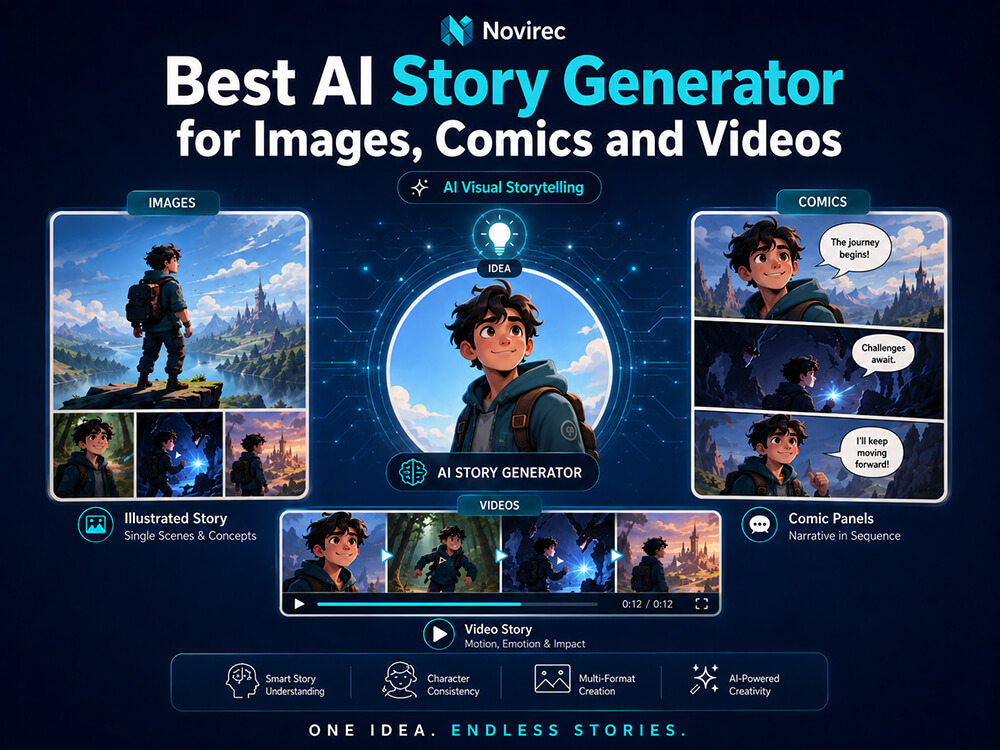
Novirec approaches AI storytelling as a complete creative process. You can start with an idea, develop the story structure, prepare recurring characters, build individual scenes and choose whether the project works best as an illustrated story, comic or video story. Novirec currently presents these three formats as part of its guided AI Stories workflow.
If you already have an idea, you can Create a Story and begin building it inside Novirec.
What Should the Best AI Story Generator Actually Do?
There are plenty of AI tools that can generate text, images or short videos. Creating a story, however, introduces a different set of problems.
A character that looks perfect in one image may suddenly have a different hairstyle in the next. Clothing can change between scenes. A location can lose important details. The visual style may drift. And when several AI tools are used separately, every new scene can require rebuilding prompts and references from scratch.
A strong AI visual story generator should therefore help with more than generation itself.
It should help you:
- turn an initial idea into a structured sequence;
- establish recurring characters before producing all the scenes;
- maintain visual references across multiple generations;
- organize scenes as parts of one project rather than isolated files;
- choose the most appropriate final storytelling format;
- combine image and video workflows when necessary;
- understand generation costs before repeatedly launching jobs.
Novirec is designed around that broader workflow rather than treating every image or video as an unrelated generation. Its public product currently combines image generation, video generation, multi-reference editing and guided story production in the same platform.
Which Type of AI Story Do You Want to Create?
Not every story needs the same format.
| Your goal | Recommended format | Best suited for |
|---|---|---|
| Tell a story with large illustrations and written narrative | Illustrated Story | Picture stories, visual fiction, educational stories, simple narrative projects |
| Tell the story through panels, dialogue and captions | Comic Story | Comics, graphic storytelling, dialogue-driven scenes |
| Turn scenes into motion with audiovisual elements | Video Story | Short visual narratives, social content, narrated stories, cinematic sequences |
| Build recurring characters across many scenes | Any Story format | Projects where character identity and continuity matter |
Novirec’s current Stories workflow supports Illustrated Story, Comic Story and Video Story as distinct visual formats. The same public workflow also introduces a Character Bible before scene production so recurring characters can have an established visual reference.
You can also explore Novirec AI Stories before opening the creation workspace.
Why Character Consistency Matters in AI Storytelling
Generating one attractive image is relatively easy compared with generating ten images that clearly belong to the same story.
Consider a simple character:
A young explorer with curly black hair, a green jacket, brown boots and a red backpack.
The first scene may look exactly right.
In scene two, the jacket becomes blue.
In scene three, the backpack disappears.
In scene four, the character’s facial structure changes.
By scene five, the illustrations may look as if they feature several different people.
This is one of the main differences between an AI image generator and an AI story generator.
For a visual story, consistency becomes part of the creative workflow.
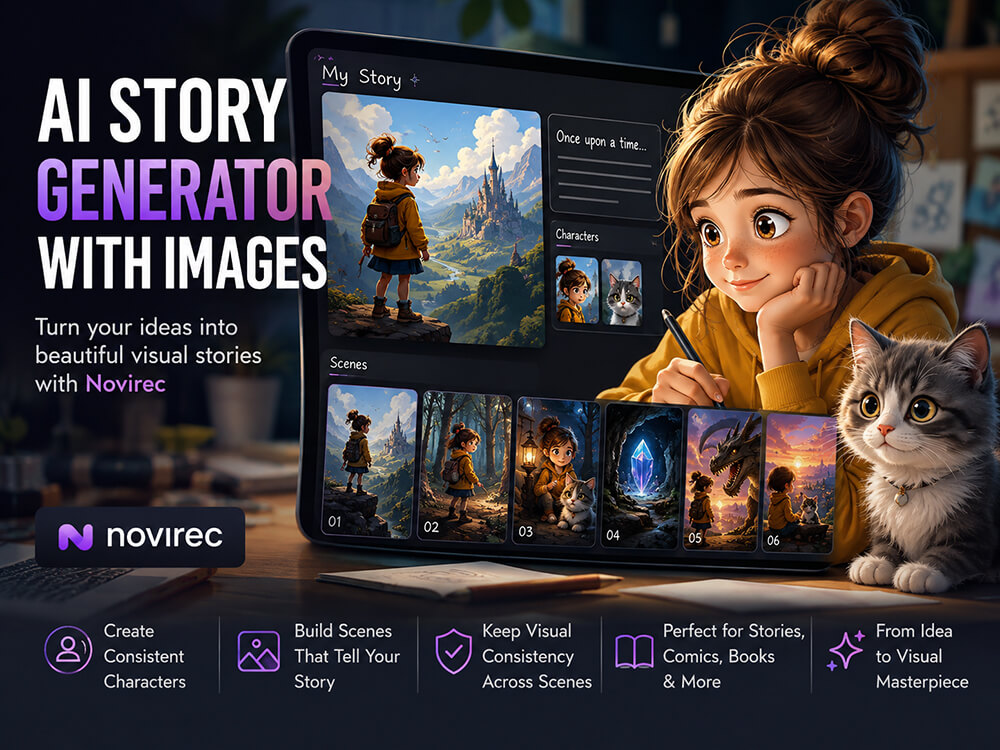
Novirec addresses this through reference-based creation and its Character Bible concept. The platform describes the Character Bible as a canonical visual reference used to establish elements such as appearance, outfit and palette before scene production.
This does not mean that AI consistency becomes mathematically perfect. Generative models can still interpret references differently. But preparing the character before generating the complete story gives the workflow much stronger visual foundations than recreating the character from a text prompt every time.
How to Create a Visual Story with AI
A practical story workflow can be broken into a few clear stages.
1. Start with the story idea
Begin with the core concept rather than trying to write perfect image prompts immediately.
For example:
A lost kitten wanders through a rainy city looking for shelter. After several encounters, a young girl discovers the kitten and brings it home.
At this point, the important information is the narrative direction: who the story follows, where it happens, what changes and how it ends.
Novirec’s Stories experience is structured around moving from the initial brief into the story itself rather than beginning with disconnected image generations. Its public workflow currently presents the sequence as Brief → Outline → Characters → Scenes → Editor.
2. Structure the story into scenes
A visual story needs moments that can actually be shown.
Instead of treating the whole story as one large prompt, separate it into scenes such as:
- The kitten alone beside a closed shop.
- The kitten hiding from the rain.
- The kitten notices the girl.
- The girl approaches carefully.
- The kitten is carried home.
- The kitten sleeps safely in its new bed.
This gives every generation a clear narrative purpose.
It also makes revisions easier. If scene three is weak, you can work on scene three instead of rebuilding the entire story.
3. Prepare recurring characters before generating every scene
This is especially important for stories where the same character appears repeatedly.
Define the visual characteristics you want to preserve: appearance, clothing, colors and important identifying elements.
Using reference images and a canonical character representation can help reduce visual drift as the story develops. Novirec specifically highlights ordered references and Character Bibles as tools for improving identity, clothing, style and scene consistency.
4. Generate and review scenes individually
Do not automatically accept every generation simply because it looks attractive.
Ask whether the image actually works inside the story.
Check:
- Is the correct character present?
- Is the outfit still consistent?
- Does the location match previous scenes?
- Is the time of day correct?
- Are important objects still present?
- Does the image communicate the intended action?
- Does its visual style fit the rest of the project?
A beautiful scene that contradicts the previous one can weaken the entire story.
5. Choose the final format
Once the story and scenes are established, decide how the audience should experience them.
An Illustrated Story works well when the images and narrative text share the page.
A Comic Story works better when dialogue, panels, captions and sequential visual action are important.
A Video Story is appropriate when the scenes need movement and audiovisual presentation.
The advantage of thinking about format after the underlying story structure is clear: the same narrative idea can be adapted without starting the creative process from zero.
AI Story Generator vs AI Image Generator
These tools overlap, but they solve different problems.
An AI image generator primarily answers:
What image should I create?
An AI story generator has to answer a larger question:
How do I create a sequence of related visual moments that feel like the same story?
That requires context.
A story workflow has to care about what happened before the current image and what needs to happen afterward.
For a single poster, thumbnail or concept image, a dedicated image workflow may be enough. Novirec provides image creation separately from Stories for exactly that kind of task.
For a recurring cast, several locations and multiple narrative scenes, the structured Story workflow becomes much more useful.
AI Story Generator vs AI Video Generator
The distinction is similar.
A normal AI video generator can create a clip from a prompt or animate a source image. Novirec itself provides both text-to-video and image-to-video creation as standalone video workflows.
A story video, however, is not simply one AI clip.
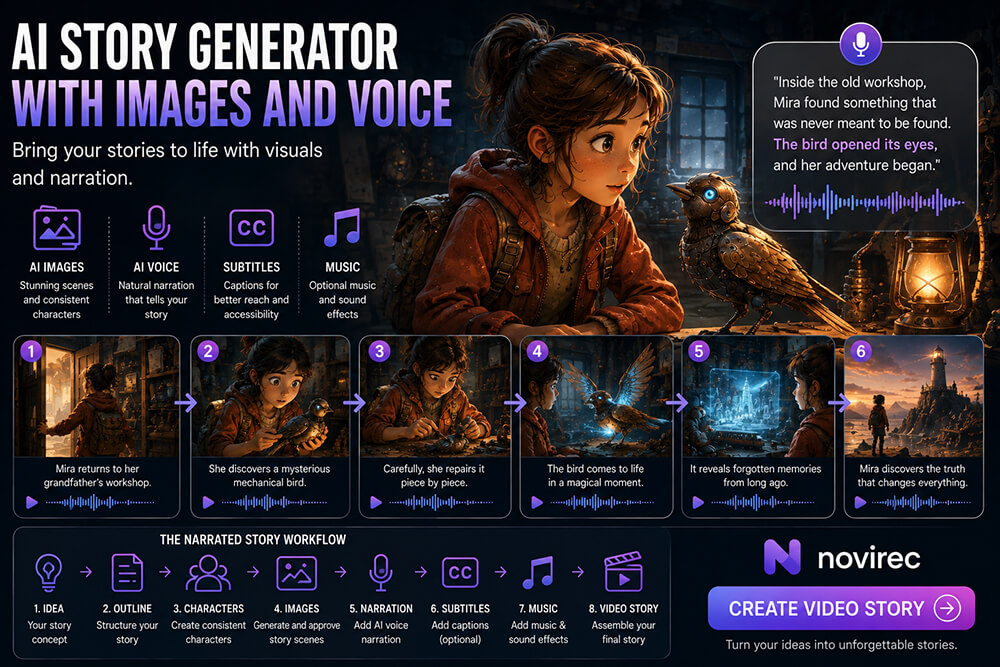
It can contain multiple scenes with recurring characters, different shots and a narrative progression. Depending on the project, it may also involve narration, captions, music and final assembly.
That makes story creation a project-management and continuity problem as much as a generation problem.
If you only want to animate a single image, a normal image-to-video workflow may be faster.
If you want several connected scenes to tell one story, start with the story structure.
One Workspace Instead of a Chain of Disconnected AI Tools
A common AI storytelling workflow can easily become fragmented:
- write the story in one tool;
- generate characters somewhere else;
- create images with another model;
- animate them in a separate video service;
- organize files manually;
- try to remember which prompt and reference produced each result.
This can work, but complexity increases quickly as the number of scenes grows.
Novirec is built around bringing image, video, editing and story workflows into one workspace. Its current platform also uses multiple model families rather than presenting the creative process as a single-model system.
That matters because the best model for creating an image is not necessarily the best choice for editing that image or animating it.
The story is the project.
The models are tools used at different stages of that project.
Do You Need to Be an AI Expert?
You should not have to.
A storytelling platform becomes much less useful if every decision requires understanding providers, APIs and dozens of technical parameters.
This is why a guided workflow matters particularly for beginners.
Instead of asking a new creator to immediately understand every model and every advanced setting, the process can be broken into understandable decisions:
What is your story?
Who are the characters?
What happens in each scene?
Do the scenes look consistent?
What format do you want to create?
Advanced controls remain useful when you need them, but they should support the story rather than becoming the story.
If you’re new to Novirec, you can create your account and then start your first project from the Studio.
How Much Does an AI Story Generator Cost?
There is no useful universal answer such as “one AI story costs exactly X.”
A visual story containing six still images is fundamentally different from a project containing many image generations, revisions and animated video scenes.
Generation cost can depend on factors such as the selected model, resolution, duration, reference inputs and workflow. Novirec currently uses credits and calculates route-aware generation quotes before jobs are launched.
For someone who has not registered yet, the simplest way to evaluate the available options is to compare Novirec plans.
Existing users who need to check their plan, buy additional credits or upgrade can instead view plans and credits inside Studio.
What Makes a Good AI Story Generator?
Before choosing any platform, check whether it handles the parts of storytelling that matter to your project.
A useful evaluation checklist is:
- Story structure: Can you organize a project into meaningful scenes?
- Character consistency: Can you establish references for recurring characters?
- Scene control: Can individual scenes be reviewed and revised?
- Multiple formats: Can the same creative environment support the format you actually want?
- Image and video workflows: Can still scenes become moving scenes when needed?
- Model flexibility: Are you locked into one generation model for every task?
- Cost visibility: Can you understand generation cost before repeatedly launching jobs?
- Beginner accessibility: Can you complete a project without mastering every technical detail first?
The “best” AI story generator is therefore not necessarily the tool that produces the most impressive single image.
For storytelling, the stronger question is:
Which tool helps you finish a coherent multi-scene project?
Who Is Novirec Best For?
Novirec’s Stories approach is particularly relevant for creators who want to produce visual narratives rather than isolated AI assets.
That can include:
- creators making short visual stories;
- comic creators;
- illustrated-story creators;
- storytellers experimenting with AI video;
- educators building narrative visual material;
- content creators producing multi-scene videos;
- creators who repeatedly need the same characters across different images;
- beginners who want a guided workflow instead of assembling a collection of unrelated AI services.
For someone who only needs one image, the standard image generator may be enough.
For someone who needs a character to survive an entire story, a structured story workflow becomes much more important.
Frequently Asked Questions
What is an AI story generator?
An AI story generator uses AI to assist with the creation of a story. A visual AI story generator goes further by helping transform the narrative into characters, scenes, illustrations, comic panels or video sequences rather than producing only text.
Can an AI story generator create images?
Yes. Visual storytelling platforms can use image generation as part of the story-building process. Novirec combines its story workflow with image-generation capabilities so scenes can become actual visual assets.
Can AI keep the same character across multiple story scenes?
AI character consistency is possible to improve substantially through reference images, controlled character descriptions and dedicated consistency workflows, although generative variation can still occur. Novirec uses references and Character Bibles to help maintain recurring visual characteristics across scenes.
Can I create comics with Novirec?
Novirec currently presents Comic Story as one of the three formats in its AI Stories workflow, alongside Illustrated Story and Video Story.
Can I turn an AI story into a video?
Novirec’s current Stories workflow includes a Video Story format, while the wider Studio provides both text-to-video and image-to-video generation workflows. This allows story scenes to be prepared for motion rather than treating video as an unrelated process.
Does Novirec use only one AI model?
No. Novirec’s public site currently lists multiple image and video model families and describes the platform as provider-neutral. The purpose is to let different models serve different creation steps instead of forcing every task through one model.
Do AI stories use credits?
AI generations in Novirec use credits, and the required amount can vary according to the model and generation settings. The platform provides generation quotes before launching supported jobs.
Create Your First Visual Story with AI
A good visual story is more than a sequence of attractive AI images.
The characters need to remain recognizable. Scenes need to belong together. Visual decisions need to support the narrative. And the final format should match the way you want the audience to experience the story.
That is the problem a dedicated AI story workflow is designed to solve.
Instead of rebuilding your characters and context for every generation, organize them as parts of one project and develop the story scene by scene.
Create a Story with Novirec and start turning your idea into a consistent visual narrative.
Ready to put this workflow into practice?
Open Novirec Studio and start creating with the same tools covered in this guide.