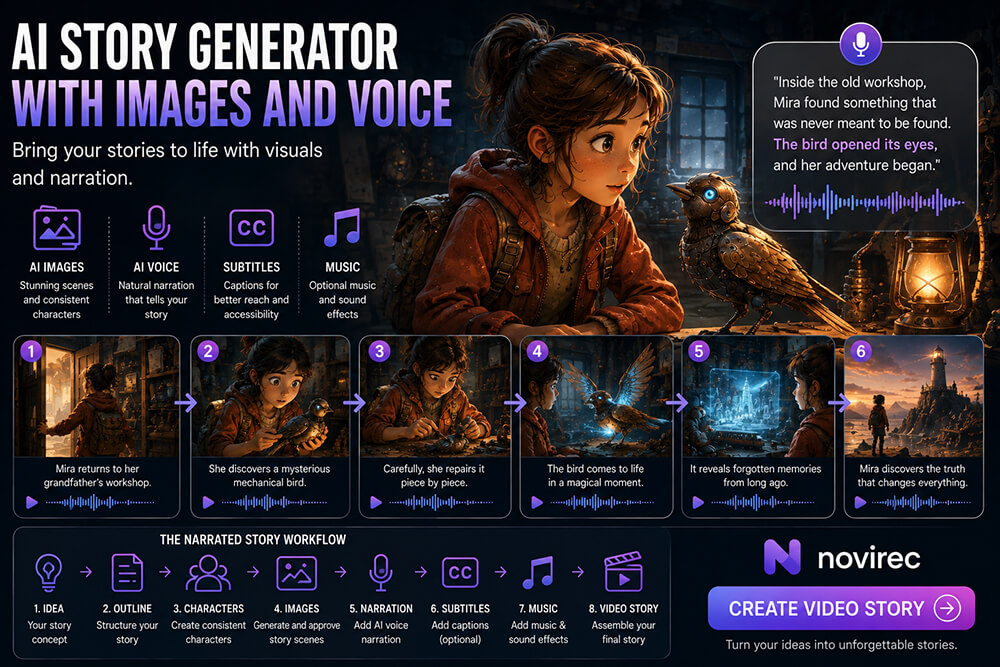

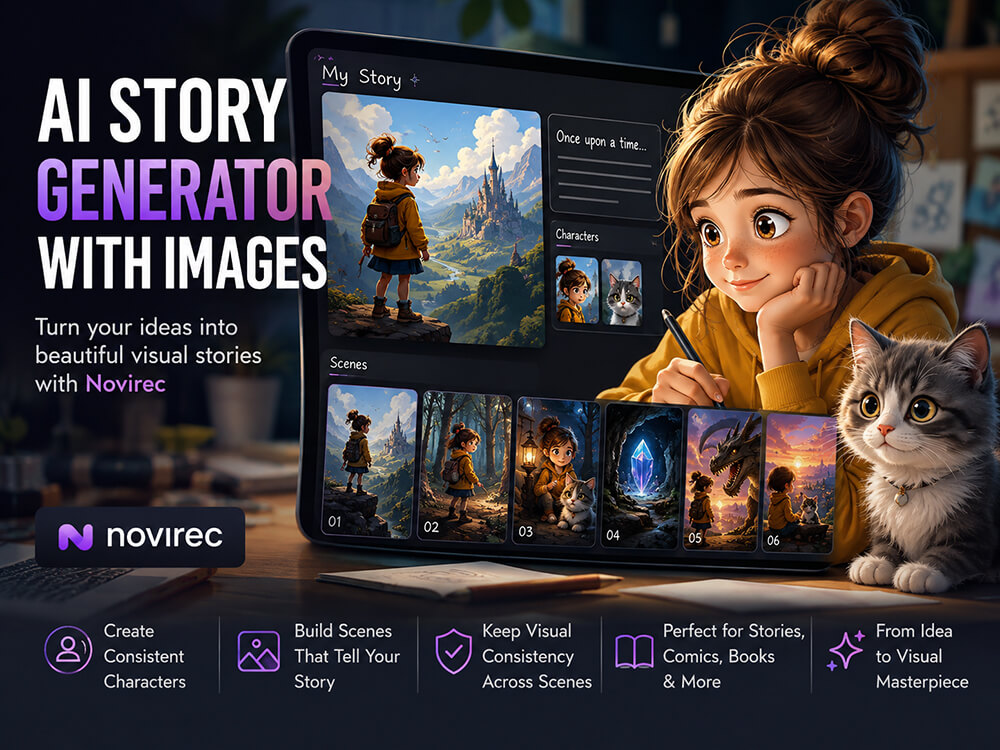
An AI story generator with images should do more than write a story and attach random pictures to it. A visual story needs characters that remain recognizable, scenes that follow the narrative, and illustrations that feel as though they belong to the same world.
Novirec is designed around that complete visual storytelling process. Instead of generating one isolated image at a time, you can develop the story, prepare recurring characters, organize scenes and create the visual material inside a structured project.
If you already have an idea, you can Create a Story with Novirec and begin turning it into an illustrated visual narrative.
What Is an AI Story Generator with Images?
An AI story generator with images combines two creative tasks:
- building the narrative, and
- creating visuals for the important moments in that narrative.
For a very short story, that might mean four or five illustrations.
For a larger project, it could involve multiple characters, different locations and many scenes.
The challenge is that every image must represent a specific part of the story while still looking connected to the images that came before it.
Imagine a simple adventure:
A young explorer discovers an abandoned observatory in the mountains and finds a mysterious glowing map.
A basic image generator can create an explorer.
It can also create an observatory.
And it can create a glowing map.
But that does not automatically create a coherent illustrated story.
The explorer should look like the same person in every scene. The observatory should retain recognizable characteristics. Clothing, colors, props and visual style should not change randomly from one illustration to another.
That is why visual storytelling needs a workflow rather than a collection of individual prompts.
From One Idea to a Sequence of Illustrated Scenes
A useful AI story workflow starts before image generation.
Suppose your idea is:
A lost kitten wanders through a rainy city and eventually finds a new home.
You could immediately ask an AI image generator for “a kitten in a rainy street.”
The result might look good, but you still have no visual plan for the rest of the story.
A better approach is to first separate the narrative into visual moments.
For example:
- The kitten walks alone beside closed shops.
- Rain becomes heavier and the kitten hides beneath a bench.
- A young girl notices the kitten from across the street.
- She approaches slowly with an umbrella.
- The kitten finally allows her to pick it up.
- They arrive at a warm home.
- The kitten falls asleep safely in a small bed.
Now every image has a purpose.
Together, they form a sequence.
This is the difference between generating pictures about a story and building a story through pictures.
Why Character Consistency Is So Important
Recurring characters are one of the biggest challenges in AI-generated illustrated stories.
Consider a protagonist described as:
A 12-year-old girl with curly dark hair, a yellow raincoat, green boots and a small red backpack.
The first illustration may be perfect.
But without enough visual control, later generations may introduce changes:
- the raincoat becomes orange;
- the hair becomes straight;
- the backpack disappears;
- the character appears several years older;
- facial features change;
- the illustration style drifts.
Each individual image may still be attractive, but the sequence becomes less convincing.
For an illustrated story, the reader should not need to wonder whether the person in scene six is the same character from scene one.
That is why Novirec’s visual storytelling approach places character preparation before large-scale scene creation.
The goal is to establish the recurring cast first and then reuse that visual identity throughout the story.
A Better Workflow for Creating AI Stories with Pictures
1. Define the story idea
Start with the central narrative.
You do not need a perfect screenplay.
A useful starting brief usually answers a few simple questions:
- Who is the story about?
- What does the character want?
- Where does the story happen?
- What problem or change drives the story?
- How does it end?
For example:
A shy young inventor enters a city-wide robotics competition. His machine fails during the first demonstration, but he repairs it with the help of another contestant and returns for the final round.
That is already enough to begin structuring a visual story.
2. Break the narrative into scenes
Next, identify the moments worth illustrating.
Not every sentence needs a picture.
Choose scenes that change the story, introduce important information or create a strong visual moment.
For the inventor story, possible scenes could include:
- working alone in a cluttered workshop;
- arriving at the competition;
- presenting the robot;
- watching it malfunction;
- meeting another contestant;
- repairing the machine together;
- returning to the stage;
- celebrating after the final demonstration.
Each image now serves a narrative function.
3. Prepare your recurring characters
Before producing the full sequence, establish how the important characters should look.
Useful details can include:
- age range;
- hairstyle;
- facial characteristics;
- clothing;
- accessories;
- color palette;
- recurring props;
- overall illustration style.
A character is easier to keep consistent when important visual decisions have been made before ten different scenes are generated.
This preparation becomes even more useful when several recurring characters appear together.
4. Generate images scene by scene
Once the story and characters are established, create each scene individually.
This provides much more control than asking the AI to generate an entire visual story in one step.
For every illustration, check both image quality and story continuity.
A scene should answer questions such as:
- Is the correct character present?
- Does the character still look recognizable?
- Is the outfit correct?
- Is the important prop still there?
- Does the location make sense?
- Is the action appropriate for this point in the story?
- Does the visual style match previous scenes?
The best-looking image is not always the best story image.
A beautiful illustration that contradicts the previous scene can weaken the narrative more than a slightly simpler but consistent image.
AI Story Generator with Images vs a Normal AI Image Generator
A standard AI image generator is ideal when the goal is one standalone visual.
You might need:
- a portrait;
- a concept image;
- a poster;
- a landscape;
- a social media image;
- a single character design.
For those tasks, there may be no reason to create an entire story project.
Novirec also provides a dedicated AI image creation workflow for standalone image generation.
An AI story generator with images solves a different problem.
| AI Image Generator | AI Story Generator with Images |
|---|---|
| Focuses on one generation | Focuses on a sequence of scenes |
| Context is usually limited to the current image | Earlier story decisions matter |
| Character reuse may be optional | Recurring character identity is important |
| No narrative order required | Scenes need a meaningful order |
| Each image can stand alone | Images need to work together |
| Best for individual assets | Best for illustrated narratives |
If your project contains one image, use an image generator.
If it contains ten images featuring the same characters and narrative, a structured story workflow becomes much more valuable.
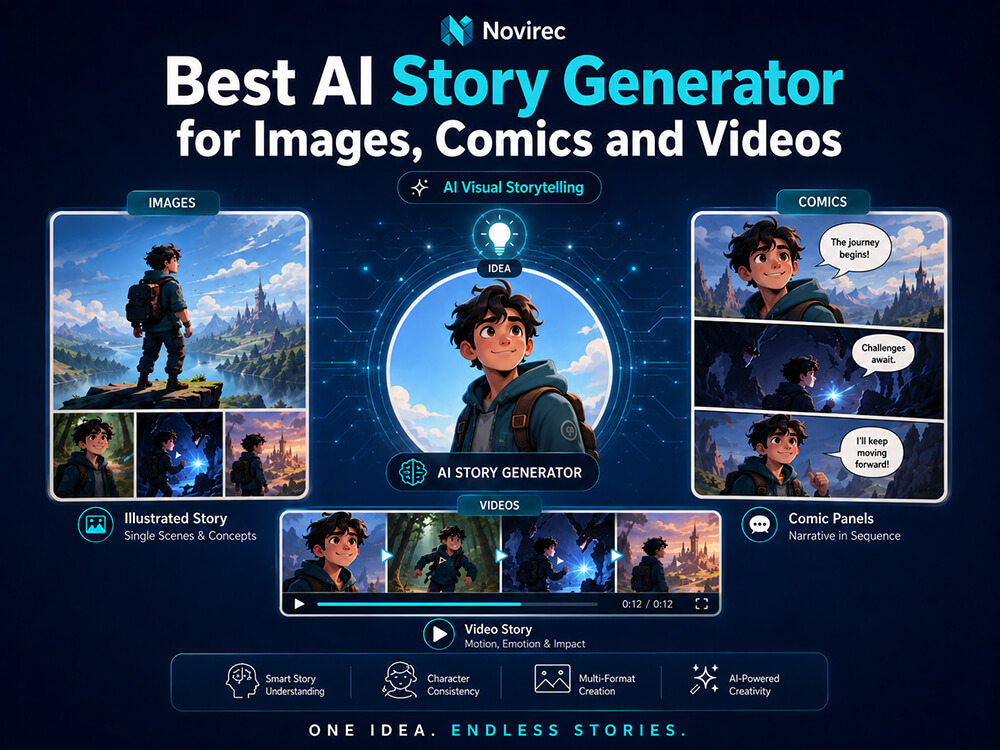
Illustrated Story, Comic or Video Story?
Images can be used in several types of storytelling.
Illustrated Story
An illustrated story typically combines larger images with narrative text.
This works especially well for:
- visual short stories;
- picture-based narratives;
- educational stories;
- children’s stories;
- fantasy and adventure stories;
- simple digital storybooks.
The illustrations show important moments while the accompanying text carries more of the narrative.
Comic Story
A comic divides the narrative into panels and often relies more heavily on visual sequencing, dialogue, captions and speech bubbles.
A scene that occupies one full illustration in a storybook might require several comic panels to show individual actions.
Video Story
A video story adds movement and audiovisual timing.
Still images can become useful source scenes for animation, but video introduces additional considerations such as motion, shot duration, narration and pacing.
If your main objective is a story made primarily from images, the illustrated format is usually the simplest place to begin.
You can explore Novirec AI Stories to see how visual story creation fits into the wider platform.
How Many Images Does an AI Story Need?
There is no fixed number.
The right number depends on the length and rhythm of the story.
A short visual story might work with 5–8 strong scenes.
A longer illustrated story could use considerably more.
What matters is not maximizing the number of AI generations. It is choosing illustrations that help the reader understand the progression of the story.
Ask a simple question for every planned scene:
Does this image show something new or important?
If two consecutive images communicate essentially the same information, one may be unnecessary.
A useful visual sequence often includes:
- an establishing image;
- introduction of the main character;
- an inciting event;
- one or more progression scenes;
- a major challenge;
- a climax or turning point;
- a resolution.
This produces a story rhythm rather than a slideshow of similar pictures.
Writing Better Scene Descriptions for AI Illustrated Stories
A scene prompt should describe what needs to be visible now.
Avoid rewriting the entire plot into every image prompt.
Instead of:
Emma is an inventor who grew up dreaming of building robots and after years of studying she enters a competition but her robot eventually stops working…
A more useful scene description would be:
Emma stands beside her small homemade robot on a crowded competition stage. She looks nervous while judges sit at a table in front of her. Bright exhibition banners and other robotics teams fill the hall behind them.
The first version tells a history.
The second describes an image.
For visual storytelling, scene descriptions should generally prioritize:
- character;
- action;
- environment;
- composition;
- mood;
- important props;
- visual continuity.
The broader story context can remain in the story project.
Keep Important Visual Details Stable
Consistency is not limited to faces.
A convincing illustrated story may need continuity across several categories.
Character appearance
Hair, face, body proportions and age should remain recognizable.
Clothing
If a character is wearing a red coat in scene one, a sudden blue coat in scene two needs a narrative reason.
Props
A sword, backpack, necklace, book, vehicle or other important object should not disappear randomly.
Location
Recurring locations should retain recognizable architecture, layout and atmosphere.
Time and weather
A sunny afternoon should not suddenly become nighttime unless the story actually progresses that way.
Style
A story can feel fragmented if one illustration looks like watercolor, another like 3D animation and another like photography.
This is why visual consistency is better treated as a project-level consideration rather than something left entirely to the final prompt.
Can You Use AI for Children’s Illustrated Stories?
Yes, an image-based story workflow can be particularly useful for creating visual children’s narratives because recurring characters and clear scene progression are so important.
For example, a simple children’s story might follow:
Scene 1: A little fox discovers a broken kite.
Scene 2: The fox carries it home.
Scene 3: Two friends help repair it.
Scene 4: They climb a hill together.
Scene 5: The kite finally flies.
The story itself is simple, but the illustrations need to make the fox, friends and kite recognizable from beginning to end.
For this kind of project, planning the cast and important objects before generating every page can save a great deal of rework.
Can an AI Story Include Different Locations?
Yes.
A story may move from a bedroom to a city street, then to a forest, castle or completely different world.
The important distinction is between intentional change and accidental inconsistency.
Changing the location because the character travels is storytelling.
Changing the architecture of the same house every time it appears is a consistency problem.
When a location returns several times, record the features that make it recognizable.
For example:
Small stone cottage, blue front door, two round upstairs windows, large oak tree on the right, mountains visible behind the house.
Those details create anchors that can be carried into later scenes.
What About AI-Generated Story Videos?
An image-based story can also become a useful foundation for video.
When an important story moment has already been established visually, an approved image can provide a much clearer starting point for animation than generating every shot completely from text.
Novirec includes a separate AI video creation workflow for video generation.
But it is useful to decide first whether the project really needs movement.
For many stories, high-quality illustrations with well-written text provide everything the narrative needs.
Adding video should serve the story rather than becoming an obligation.
How Much Does an AI Story with Images Cost?
The answer depends largely on how many generations and revisions the project requires and which generation workflows are used.
A six-scene illustrated story will naturally have different requirements from a forty-scene project with multiple revisions.
When estimating a project, consider:
- number of scenes;
- number of characters;
- how many alternative images you expect to generate;
- editing or regeneration needs;
- selected models;
- whether any scenes will later become video.
If you are evaluating Novirec before registering, you can compare Novirec plans.
Existing users who want to manage their current plan, purchase credits or upgrade can view plans and credits inside Studio.
Common Mistakes When Creating AI Stories with Images
Generating every image before defining the character
This often creates unnecessary visual drift.
Prepare the recurring cast first.
Using one giant prompt for the entire story
Narrative summaries and image descriptions serve different purposes.
Keep each scene visually focused.
Accepting attractive images that contradict the story
Always judge an image in context.
Changing style midway through the project
Choose the visual direction early unless the style change is intentional.
Generating too many nearly identical scenes
More images do not automatically create a better story.
Every illustration should contribute something.
Ignoring background continuity
Readers notice changing locations and missing props even when the main character looks correct.
Who Is an AI Story Generator with Pictures For?
This type of workflow can be useful for:
- writers who want to visualize their stories;
- parents creating personal illustrated stories;
- educators producing visual narratives;
- comic and storybook creators;
- content creators developing story-based posts;
- creators building recurring fictional characters;
- marketers using narrative sequences;
- beginners who want an organized alternative to juggling several AI tools.
The common requirement is not simply “I need an AI image.”
It is:
“I need several images to work together as one narrative.”
Frequently Asked Questions
What is the best AI story generator with images?
The best option depends on your project, but for visual storytelling you should prioritize structured scenes, reusable character references, consistency and the ability to manage several illustrations as one project rather than evaluating only the quality of a single generated image.
Can AI generate a full story with pictures?
AI can assist with both narrative development and image creation. For better results, treat the story as a sequence of individual scenes and review each illustration for character, location and story consistency rather than generating everything blindly in one pass.
How do I keep the same character in every AI story image?
Establish the character before generating all scenes, use consistent visual references and descriptions, and review recurring details such as face, hair, clothing and accessories throughout the project.
How many pictures should an illustrated AI story have?
There is no fixed number. A short story may only require five to eight important visual scenes, while longer projects can use many more. The right number is the amount needed to communicate the narrative without unnecessary repetition.
Can I create a children’s story with AI images?
Yes. Children’s stories are particularly well suited to visual workflows because they often rely on a small recurring cast, clear actions and recognizable objects across multiple illustrated scenes.
Can I turn the story images into videos later?
Yes. Selected story images can serve as visual starting points for animation or image-to-video generation when motion adds value to the narrative.
Do I need to understand AI models to use a story generator?
You should not need deep technical knowledge to begin. A beginner-friendly workflow should let you think first about the story, characters and scenes, while more advanced model choices remain available when additional control is needed.
Create Your First AI Story with Images
An illustrated story is not just a folder full of attractive AI pictures.
It is a sequence.
The characters need to remain recognizable. The locations need to make sense. Important objects need to persist. And every illustration should move the narrative forward.
Planning those elements as one visual project makes the difference between disconnected AI generations and a story that actually feels intentional.
Create a Story with Novirec and start transforming your idea into connected illustrated scenes.
New to the platform? You can also create your Novirec account and begin building your first visual story.
Ready to put this workflow into practice?
Open Novirec Studio and start creating with the same tools covered in this guide.