
An AI story video generator should do more than create a short video clip from a prompt. A real video story needs a beginning, progression and ending, with characters and scenes that remain connected throughout the narrative.
That becomes much harder when every shot is generated independently.
A character can suddenly change appearance. Clothing may be different from one scene to another. Locations can drift. Motion may look impressive while contributing nothing to the story.
Novirec approaches AI video storytelling as a structured project instead of a collection of unrelated clips. You can develop the story, prepare recurring characters, organize visual scenes and then move approved story moments toward video.
If you already have an idea, Create a Story with Novirec and start building your video narrative scene by scene.
What Is an AI Story Video Generator?
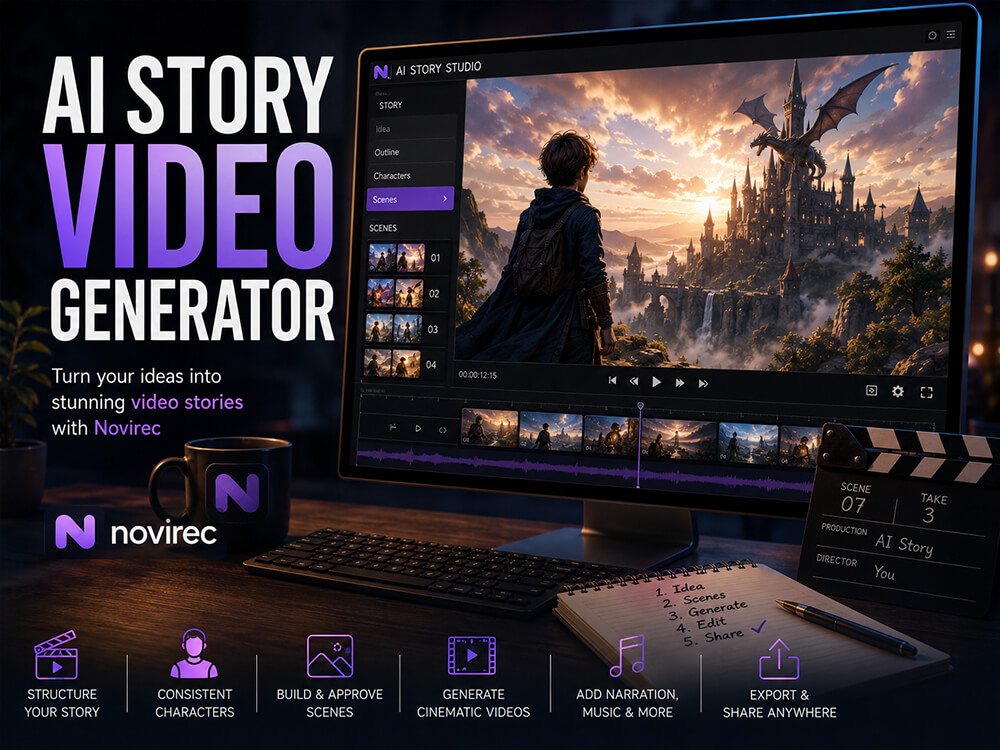
An AI story video generator helps turn a narrative idea into a sequence of visual scenes that can ultimately form a video.
That is different from a standard text-to-video generator.
If you enter:
A knight walks through a misty forest.
into a normal video generator, you may receive a visually impressive clip.
But a story needs more context.
Who is the knight?
Why is the knight in the forest?
What happened before this scene?
Where is the character going?
What should the next shot show?
Should the armor look identical five scenes later?
An AI video story therefore requires both generation and continuity.
The objective is not merely to create motion.
It is to create motion that belongs to a narrative.
AI Story Video Generator vs AI Video Generator
The distinction becomes clearer when comparing the workflows.
| Standard AI Video Generator | AI Story Video Generator |
|---|---|
| Creates individual clips | Builds a sequence of story scenes |
| Focuses on the current prompt | Maintains broader narrative context |
| Character reuse may be optional | Recurring characters are important |
| Each clip can be independent | Scenes should connect logically |
| Motion is often the main objective | Motion must support the story |
| Best for standalone videos | Best for multi-scene narratives |
If you only need a single cinematic shot, Novirec’s AI video creation workflow may be the more direct option.
If your project has a cast, multiple scenes and a narrative progression, starting with a structured Story project is usually more appropriate.
From Story Idea to Video Scenes
Consider this simple idea:
A teenage explorer discovers a hidden doorway inside an ancient forest and enters a forgotten underground city.
You could try generating the entire story as one long video.
But doing so would give you very little control over individual narrative moments.
Instead, divide the idea into scenes.
Scene 1
The explorer walks through an ancient forest at sunrise.
Scene 2
A strange blue light appears behind a group of trees.
Scene 3
The explorer discovers a stone doorway covered in vines.
Scene 4
The doorway opens into a dark underground passage.
Scene 5
The explorer enters the passage with a lantern.
Scene 6
The passage opens onto a vast abandoned city.
Now the project has structure.
Each scene has one purpose, one visual objective and a clear relationship with the scenes around it.
That makes AI generation much easier to control.
Why Story Structure Should Come Before Video Generation
Video generation can be expensive in both time and generation credits.
Generating every idea immediately as video is therefore rarely the most efficient approach.
A better workflow is:
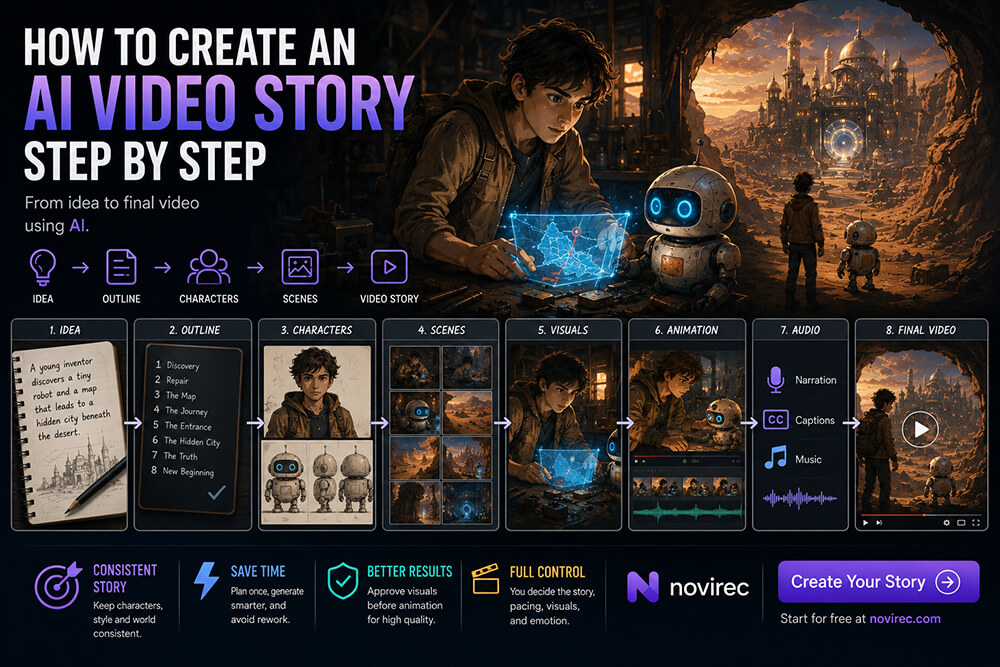
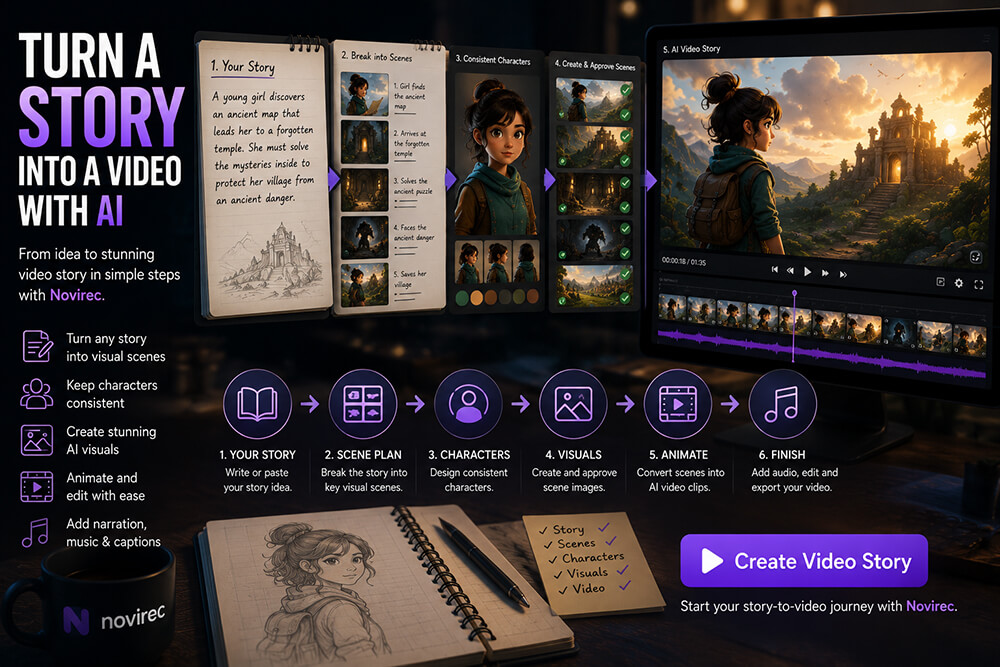
Idea → Story → Scenes → Characters → Scene Images → Approval → Animation
This allows you to solve visual problems before spending resources animating them.
Imagine that scene four contains the wrong costume.
If you notice the problem while reviewing a still scene image, correcting it is relatively straightforward.
If you first generate several video versions of that incorrect scene, you have spent additional generations on something that should have been fixed earlier.
For multi-scene storytelling, approval before animation can significantly reduce unnecessary iterations.
Character Consistency Is Even More Important in Video
Visual inconsistency is noticeable in still images.
In video, it can become even more distracting.
Suppose your main character is described as:
A young adventurer with short black hair, a teal jacket, brown backpack and silver pendant.
In the opening scene, everything looks correct.
Then:
- the jacket becomes green;
- the backpack changes shape;
- the pendant disappears;
- facial features change;
- the character suddenly looks older.
When those shots appear consecutively in the same video, the visual discontinuity is obvious.
This is why recurring characters should ideally be established before generating the complete sequence.
A strong workflow treats the character’s appearance as reusable project information rather than asking the AI to reinterpret the same text description from scratch for every shot.
How to Create an AI Video Story Step by Step
1. Define the core story
Start with a concise narrative idea.
For example:
A small delivery robot becomes lost in a futuristic city and must find its way back to its owner before nightfall.
You do not need to write every shot immediately.
First establish:
- protagonist;
- objective;
- setting;
- conflict;
- progression;
- resolution.
2. Break the story into visual scenes
Think about what the audience actually needs to see.
The robot story could become:
- The robot leaves a delivery station.
- A crowded street forces it onto another route.
- It realizes it is lost.
- It asks another robot for directions.
- The city becomes darker as evening approaches.
- It recognizes a familiar landmark.
- It finds its owner.
- They return home together.
This gives the final video a narrative skeleton.
3. Prepare recurring characters
Establish the important visual features before generating all scenes.
For the robot:
- compact white body;
- circular blue eyes;
- orange delivery compartment;
- small antenna;
- scratches on one side;
- two wheels.
If those features define the character, they should survive across the story.
Human characters require the same attention to:
- face;
- age;
- hairstyle;
- wardrobe;
- accessories;
- body proportions.
4. Build the visual scenes
Generate the important story moments as images.
At this stage, concentrate on composition and continuity, not motion.
Ask:
- Is the right character visible?
- Is the environment correct?
- Does the framing communicate the action?
- Are recurring props present?
- Does the scene match what happened previously?
- Is the visual style consistent?
Only approve scenes that genuinely belong in the story.
5. Decide Which Scenes Need Motion
Not every shot requires dramatic movement.
A calm emotional moment may only need subtle motion.
An action scene may require much more.
Think about motion as part of storytelling.
Examples:
Quiet scene
Slow camera push toward the character, subtle breathing, leaves moving gently in the background.
Discovery scene
Character slowly approaches the doorway while the camera tracks forward and blue light becomes brighter.
Action scene
Character runs toward camera as debris falls behind, dynamic handheld movement.
The motion prompt should describe what changes during the shot, rather than repeating everything already visible in the source image.
6. Animate the Approved Scenes
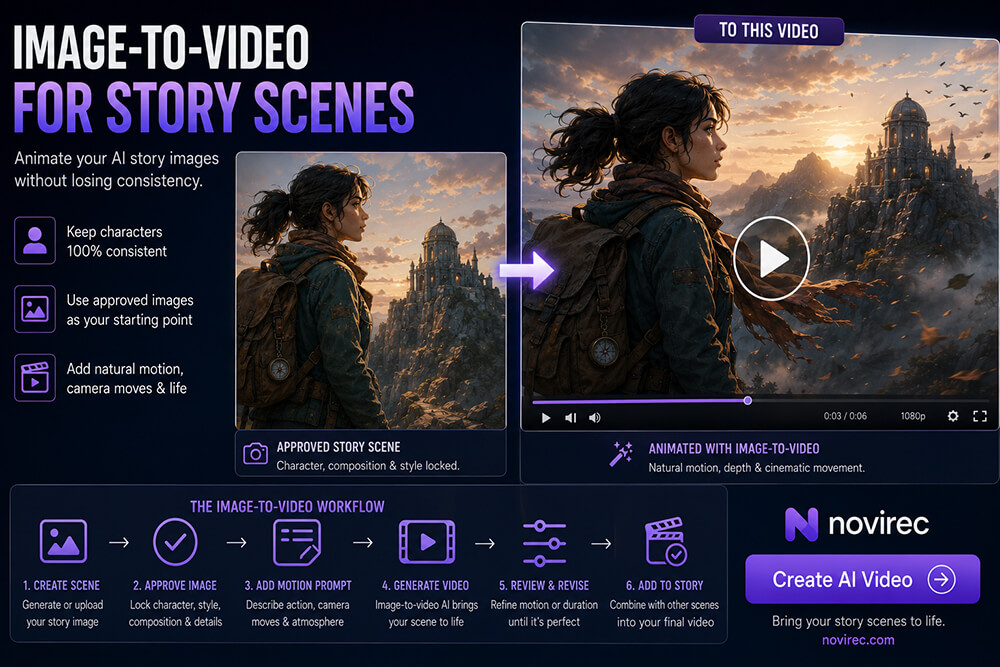
Once a scene looks correct, it can become the visual foundation for video generation.
This is where image-to-video can be particularly useful for story projects.
Instead of asking a model to invent the entire appearance of the shot again, the approved image provides a strong visual starting point.
You can also use Novirec’s standalone AI video generator when you need to animate or create individual video assets.
7. Review the Whole Sequence
Do not evaluate every clip only in isolation.
Play the scenes mentally or in sequence and ask:
- Does the character remain recognizable?
- Does one scene naturally lead into the next?
- Are shot sizes too repetitive?
- Does the pacing feel appropriate?
- Is there enough visual variation?
- Does each clip actually move the story forward?
A great individual AI video can still be the wrong shot for the story.
Text-to-Video or Image-to-Video for AI Stories?
Both workflows can be useful, but they solve different problems.
Text-to-Video
Text-to-video starts primarily from a written prompt.
It can be useful when:
- visual continuity is less important;
- you are exploring ideas;
- the subject does not need to match a specific approved design;
- the scene is independent;
- speed of experimentation matters.
Image-to-Video
Image-to-video starts from an existing visual.
For story projects, this can offer more control because the character, composition, clothing and environment have already been established before animation.
It is often a strong choice for:
- recurring characters;
- approved story illustrations;
- scenes where composition matters;
- projects requiring visual continuity.
A practical story workflow may use both methods.
The correct choice depends on the scene rather than on a universal rule.
How Long Should Each AI Story Video Scene Be?
Longer is not automatically better.
For many visual stories, short shots create more control and make editing easier.
A scene only needs enough time for the audience to understand:
- where they are;
- who is present;
- what is happening;
- what changes.
A simple establishing shot may need only a few seconds.
A dialogue or emotional shot may benefit from more breathing room.
An action scene may contain several shorter shots instead of one long generation.
When planning duration, think about narrative information per shot, not maximum model duration.
Use Different Shot Types to Make the Story More Cinematic
If every scene uses the same medium shot of a character standing in the center, the video will quickly feel repetitive.
Varying composition can make a simple story much stronger.
Wide shot
Shows the environment and establishes location.
A tiny explorer stands at the edge of a huge ruined city.
Medium shot
Balances character and surroundings.
The explorer examines a glowing map while the ruins remain visible behind.
Close-up
Emphasizes emotion or an important object.
Close-up of the explorer’s worried expression as the map begins to flicker.
Detail shot
Directs attention to a small narrative clue.
Extreme close-up of a strange symbol appearing on the map.
Over-the-shoulder shot
Connects character perspective with the environment.
From behind the explorer, the doorway opens onto an underground city.
Shot variation helps turn generated scenes into a visual narrative rather than a slideshow with motion.
Motion Should Support the Story
One of the easiest mistakes in AI video creation is adding movement simply because the model can generate it.
Constant dramatic camera movement can become distracting.
Ask what the scene needs.
If the character has just discovered something frightening, a slow camera push may increase tension.
If two characters are quietly looking at the sunset, a rapid orbiting camera is probably unnecessary.
If someone is running from danger, dynamic motion makes more sense.
A useful motion prompt often contains three elements:
Subject movement + Camera movement + Environmental movement
For example:
The girl slowly raises the lantern. Camera gently pushes toward her face. Fog drifts through the corridor behind her.
This gives motion a narrative purpose.
Add Narration to Connect the Scenes
Not every detail needs to be shown visually.
Narration can communicate information that would otherwise require additional shots.
For example:
“Three days had passed since Elias left the village, but the tower still seemed impossibly far away.”
Without narration, you might need several additional visual scenes to communicate that passage of time.
Narration can therefore help:
- establish context;
- explain time jumps;
- communicate internal thoughts;
- connect scenes;
- reduce unnecessary visual exposition.
But narration should complement the visuals rather than describe everything the viewer can already see.
If the image clearly shows the hero entering a castle, narration does not need to say:
“He entered the castle.”
It can provide information the image cannot:
“No one from his village had crossed those gates in more than a hundred years.”
Captions and Subtitles Can Improve Accessibility
If your video includes spoken narration, subtitles can make the story easier to follow in environments where users watch without sound.
They also improve accessibility for viewers who benefit from written dialogue or narration.
Keep captions readable:
- avoid overly long blocks;
- use clear contrast;
- leave enough screen space around important visual elements;
- keep timing synchronized with speech;
- avoid placing subtitles over faces whenever possible.
The goal is to support the story without competing with the image.
Background Music Should Reinforce the Mood
Music can change how a scene feels even when the visuals remain identical.
A forest scene might feel:
- peaceful with soft acoustic music;
- mysterious with ambient drones;
- dangerous with low percussion;
- magical with delicate orchestral textures.
Choose music based on narrative function rather than simply selecting a track you like.
Also remember that narration should remain understandable.
If a story contains voiceover, background music should generally become less prominent while speech is playing.
How to Improve AI Video Story Consistency
Before approving the final sequence, check continuity in several areas.
Character identity
Does the face remain recognizable?
Wardrobe
Are clothes and accessories consistent unless the story deliberately changes them?
Props
Does the character still carry the same bag, sword, necklace or device?
Location
Does a recurring room or building retain recognizable features?
Lighting
Does the time of day make sense between consecutive scenes?
Weather
Does rain suddenly disappear without narrative reason?
Story logic
If the character drops an object in scene four, should they still be holding it in scene five?
AI consistency is not only about faces.
Narrative continuity includes everything the viewer expects to persist from one scene to another.
Common Problems in AI Story Videos
The Character Changes Between Shots
Possible causes include weak references, excessive motion, incompatible generations or relying only on text descriptions.
Improve the source image and reduce unnecessary visual transformations.
Motion Looks Jittery
Excessive movement or difficult body actions can create unstable results.
Try simplifying the motion and using a stronger source frame.
Every Shot Looks the Same
Vary shot size, angle and composition.
Not every scene needs to show the full character.
The Video Feels Like a Slideshow
The problem may not be the amount of motion.
It may be that the scenes lack narrative progression.
Make sure something meaningful changes between shots.
The Story Is Hard to Follow
Review the sequence without reading your original script.
If a viewer cannot understand what is happening, important connecting scenes or narrative information may be missing.
How Much Does an AI Video Story Cost?
There is no meaningful fixed cost for every AI video story.
A four-scene project with short clips has very different generation requirements from a twenty-scene cinematic story with several alternatives per shot.
Cost can be influenced by:
- number of scenes;
- number of generations per scene;
- video model;
- clip duration;
- resolution;
- source images;
- revisions;
- alternative takes.
Novirec calculates generation usage through credits, and current public pricing explains that quotes depend on the selected provider, model, duration, resolution, references and other supported settings.
Before creating an account, you can compare Novirec plans.
If you already use Novirec and need additional generation capacity, you can view plans and credits inside Studio.
Should You Create Images Before Generating Story Video?
For projects with recurring characters, usually yes.
Creating and approving the scene visually before animation gives you an opportunity to catch:
- incorrect character appearance;
- wrong clothing;
- missing objects;
- poor composition;
- continuity errors.
It separates two creative questions:
Does this scene look right?
and then:
Does this scene move correctly?
Trying to solve both questions simultaneously can create more unnecessary generations.
Who Can Use an AI Story Video Generator?
AI story video workflows can be useful for:
- visual storytellers;
- short-form content creators;
- YouTube creators;
- educators;
- marketers;
- authors visualizing stories;
- comic creators experimenting with animation;
- creators producing faceless narrative videos;
- filmmakers developing concepts or previsualization;
- beginners exploring visual storytelling without a traditional production team.
The important common factor is that the project contains multiple connected scenes.
Frequently Asked Questions
What is an AI story video generator?
An AI story video generator helps transform a narrative into a sequence of visual scenes that can be generated or animated with AI. Unlike a standalone video generator, it needs to account for recurring characters, narrative order and continuity between shots.
Can AI create an entire video story?
AI can assist with the different stages of a video story, including story development, scene creation, image generation and video generation. Larger projects still benefit from human review because visual continuity and narrative decisions need to be evaluated across the complete sequence.
Can I keep the same character throughout an AI video?
Character consistency can be improved by establishing the character visually before generating all scenes, using reliable reference images and reviewing every scene before animation. Some generative variation can still occur.
Should I use text-to-video or image-to-video for a story?
Image-to-video is often useful when visual continuity matters because an approved image establishes the appearance of the shot before animation. Text-to-video can be useful for exploration or scenes where exact visual matching is less important.
How many scenes should an AI video story have?
There is no fixed number. The correct amount depends on the narrative. A short story may work with only a handful of scenes, while a longer narrative may require many more. Each scene should contribute new information or progression.
Can an illustrated story become an AI video?
Yes. Approved illustrated scenes can provide useful visual foundations for image-to-video generation when you decide that particular moments benefit from motion.
Does Novirec support AI video stories?
Novirec publicly presents Video Story as one of its AI Stories formats, alongside Illustrated Story and Comic Story, with story projects moving through a guided workflow from brief and outline to characters, scenes and editor.
Create Your First AI Video Story
A memorable AI video story does not begin with motion.
It begins with structure.
Define the idea. Establish the characters. Break the narrative into scenes. Approve what each shot should look like. Then use motion where it actually improves the story.
This approach gives you much more control than repeatedly generating unrelated video clips and trying to assemble a narrative afterward.
Create a Story with Novirec and start turning your idea into a connected visual sequence.
New to Novirec? Create your account and begin your first visual story project.
Ready to put this workflow into practice?
Open Novirec Studio and start creating with the same tools covered in this guide.