
You create the perfect protagonist in scene one.
Then scene two changes the hairstyle.
Scene three changes the jacket.
Scene four keeps the clothes but produces a different face.
By scene six, the character barely looks like the same person.
This is one of the most common problems in AI visual storytelling.
Learning how to keep AI characters consistent requires more than repeatedly typing the same character name into a prompt. The character needs a stable visual identity that can be reused throughout the project while poses, expressions, environments and camera angles continue to change.
A practical workflow looks like this:
Define → Reference → Lock → Generate → Compare → Correct
Novirec Stories is built around preparing recurring characters before producing the complete sequence of scenes.
Create a Story with Novirec and establish your cast before generating the full narrative.
What Is AI Character Consistency?
AI character consistency means keeping a recurring character visually recognizable across multiple generations.
Suppose your protagonist is:
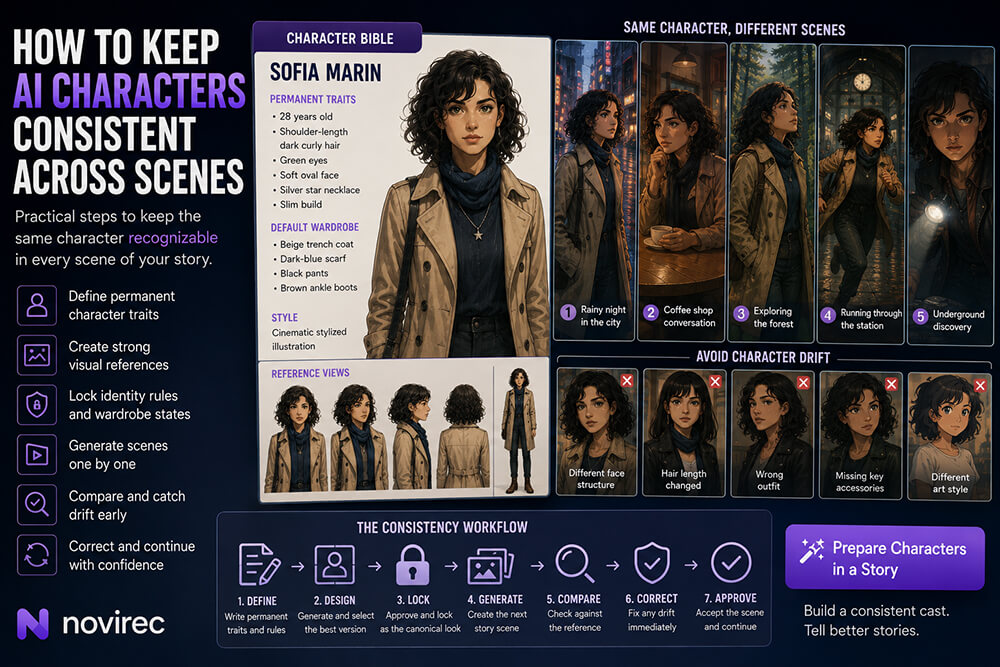
Sofia, 28, shoulder-length dark curly hair, green eyes, beige trench coat, dark-blue scarf and a small silver star necklace.
She may appear:
- in a café;
- walking through rain;
- driving a car;
- running through a station;
- standing in a forest;
- shown from behind;
- shown in close-up.
Those scenes should look different.
Sofia should not.
Character consistency does not mean freezing the character into one pose.
It means preserving the visual information that tells the viewer:
This is still Sofia.
Why AI Characters Change Between Scenes
Generative models create new outputs rather than retrieving a fixed 3D actor from storage.
When a prompt says:
Sofia walks through a train station.
the model has room to reinterpret what “Sofia” means unless stronger visual information is available.
Drift can affect:
| Character element | Typical inconsistency |
|---|---|
| Face | Different facial structure |
| Hair | Length, color or texture changes |
| Age | Character suddenly looks older or younger |
| Clothes | Different outfit or colors |
| Accessories | Glasses, jewelry or bag disappear |
| Proportions | Height or body shape changes |
| Style | Cartoon becomes realistic |
| Details | Tattoos, scars or markings move or disappear |
The more scenes you create, the more opportunities there are for these differences to accumulate.
That is why character consistency should be treated as a workflow problem, not simply a prompting problem.
1. Define the Character Before Generating the Story
Do not start with:
Generate my protagonist.
Start by defining who the protagonist actually is.
A useful character specification contains both permanent and variable information.
Permanent identity
These elements normally stay stable:
Name: Sofia Marin
Age: 28
Hair: Shoulder-length dark-brown curls
Eyes: Green
Face: Soft oval face, small straight nose
Build: Slim, medium height
Signature accessory: Silver star necklace
Default wardrobe
Coat: Beige trench coat
Scarf: Dark blue
Trousers: Black
Shoes: Brown ankle boots
Visual direction
Style: Cinematic stylized illustration
Palette: Natural colors with slightly warm skin tones
Now you have a definition instead of a vague concept.
2. Separate Permanent Traits from Story-State Traits
This is one of the most useful ways to manage long visual stories.
Not everything should stay identical forever.
Suppose Sofia is caught in a storm.
Later she may have:
- wet hair;
- muddy coat;
- torn sleeve.
Those are intentional story changes.
Create two categories.
Identity rules
Should remain stable:
- face;
- eye color;
- basic hairstyle;
- body design;
- signature necklace.
Story-state rules
Can change according to events:
- clothing damage;
- wet or dry;
- carrying an object;
- hairstyle temporarily tied back;
- injuries;
- dirt;
- armor;
- seasonal clothing.
This prevents a common mistake: treating intentional progression as inconsistency.
Example
Scene 1
Sofia wears a clean beige trench coat.
Scene 8
She falls while escaping through a forest.
Scene 9
Same coat, now muddy and torn at the sleeve.
That is good continuity.
If scene 9 suddenly gives her a black leather jacket without explanation, that is drift.
3. Create a Strong Visual Reference
Text defines the idea.
A reference image establishes the actual appearance.
That distinction matters.
Consider this description:
Young woman with curly dark hair, beige coat, green eyes.
There are thousands of valid visual interpretations.
Once you approve one particular image, the goal changes from:
Generate a woman matching this description.
to:
Keep generating this woman in new situations.
A useful reference should clearly show the character.
Prefer:
- unobstructed face;
- recognizable hairstyle;
- visible clothing;
- neutral or useful lighting;
- sufficient image quality;
- correct proportions;
- approved art style.
Avoid making your canonical reference a scene where:
- the face is tiny;
- half the body is hidden;
- lighting completely changes skin color;
- important accessories cannot be seen.
4. Make One Version Canonical
A common mistake is keeping five different early generations and treating all of them as equally authoritative.
Suppose version A has:
- wider eyes.
Version B has:
- shorter hair.
Version C has:
- slightly different facial proportions.
If all three become references, the character identity becomes ambiguous.
Instead, decide:
This is the approved character.
That image becomes the visual anchor.
You can still use complementary references when useful, but they should represent the same established design, not competing versions of it.
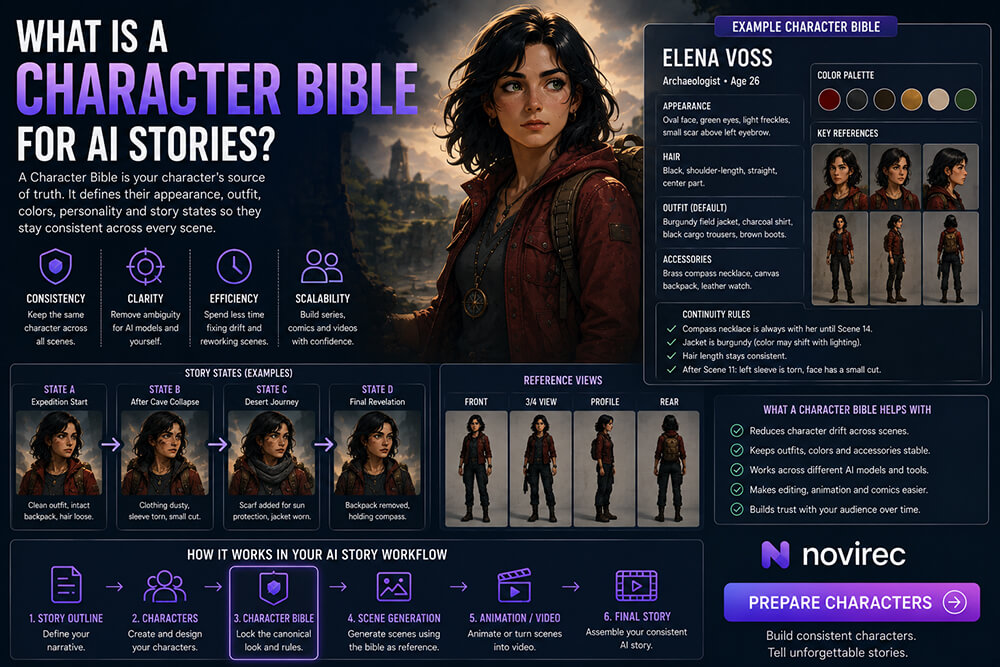
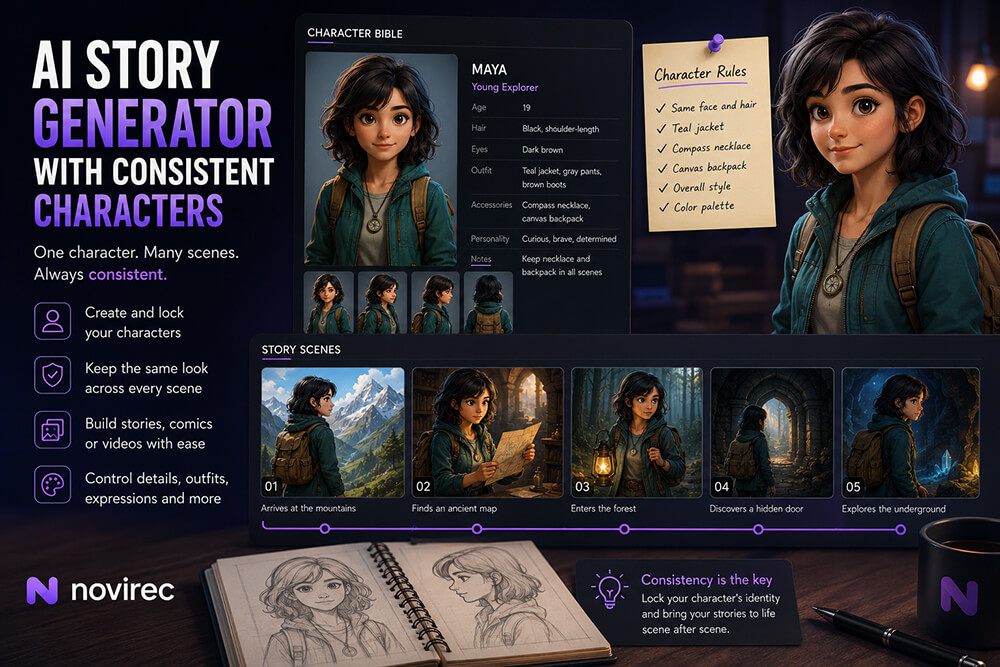
This is the role of a Character Bible in a structured story workflow: establish the character before the story starts generating dozens of scenes.
5. Use Multiple Views When the Story Needs Them
A single portrait may not provide enough information for every scene.
Imagine your character reference is only:
close-up, front view.
Later you generate:
- full body;
- profile;
- rear view.
The model now has to infer information that the original reference never showed.
For important protagonists, useful reference coverage can include:
- front view;
- three-quarter view;
- side/profile;
- full body;
- wardrobe visibility.
You do not necessarily need a huge character sheet.
The goal is simply to reduce ambiguity.
For example, a full-body reference can establish:
- footwear;
- body proportions;
- coat length;
- backpack;
- silhouette.
A facial reference can establish identity more precisely.
Together they provide more information than either alone.
6. Give the Character Distinctive Visual Anchors
Characters that are visually distinctive are easier to recognize.
Compare:
Man, brown hair, black shirt.
with:
Man with short silver-streaked hair, round amber glasses, dark-green field jacket and red woven bracelet.
The second character has stronger recognition cues.
Useful anchors include:
- unusual hairstyle;
- distinctive glasses;
- signature jacket;
- scarf;
- jewelry;
- hat;
- recognizable color combination;
- scar;
- backpack;
- unique silhouette.
Do not add random complexity just for consistency.
Choose a few elements the viewer can actually notice.
7. Keep Character Identity Separate from Scene Prompts
A scene prompt should primarily describe what is changing.
Your character definition describes what should remain stable.
For example:
Character
Sofia Marin, 28, shoulder-length dark curls, green eyes, beige trench coat, dark-blue scarf, silver star necklace.
Scene
Sofia enters an abandoned railway station at night. She holds a flashlight and looks toward an open tunnel. Wide cinematic shot, rain visible outside.
This separation makes the project easier to manage.
You can change:
- setting;
- action;
- emotion;
- framing;
- lighting;
without casually redesigning the protagonist.
8. Avoid Rewriting the Character Differently in Every Prompt
Manual prompt repetition introduces accidental changes.
Scene one:
shoulder-length curly dark hair.
Scene two:
long wavy black hair.
Scene three:
dark hair.
Scene four:
black curls.
To a human, these may sound similar.
To a generative model, they can introduce variation.
Keep permanent traits stable.
If you intentionally update something, record that change as part of the story rather than casually modifying the description.
9. Do Not Overload Every Prompt
Longer does not automatically mean more consistent.
Consider:
Sofia has beautiful dark shoulder-length curly hair with many individually visible curls, perfectly green almond-shaped eyes, a delicate oval-shaped face, subtle freckles…
Eventually the prompt becomes difficult to maintain and may compete with scene information.
Prioritize identity anchors.
For example:
Sofia Marin, 28, shoulder-length dark curls, green eyes, beige trench coat, blue scarf, silver star necklace.
Then let a strong visual reference carry additional appearance information.
The goal is stable information, not maximum word count.
10. Build Scenes Around the Character Instead of Recreating the Character
Once the protagonist is approved, move your creative decisions toward the story.
Instead of repeatedly asking:
What does Sofia look like?
you should be deciding:
Where is Sofia?
What is Sofia doing?
How does Sofia feel?
What does the viewer need to see?
Example sequence:
Scene 1
Sofia receives a mysterious letter.
Scene 2
She boards a late-night train.
Scene 3
She realizes someone is following her.
Scene 4
She leaves the train at an abandoned station.
Scene 5
She discovers an underground passage.
Each scene changes dramatically.
The character identity should not.
11. Compare Every New Scene Against the Reference
Do not evaluate an AI image only by asking:
Does this look good?
Also ask:
Does this still look like the character?
A beautiful generation can fail continuity.
Use a simple review.
Face
Same person?
Hair
Correct color, length and style?
Age
Still appropriate?
Wardrobe
Correct outfit for this story state?
Accessories
Important items still present?
Body
Similar proportions?
Style
Still belongs to the same visual universe?
Scene logic
Any intentional changes correctly represented?
This review takes seconds and can prevent an incorrect version from becoming the basis for several later scenes.
12. Correct Drift as Soon as It Appears
Do not let inconsistency propagate.
Suppose scene seven gives Sofia the wrong hairstyle.
Then scene eight is generated from scene seven.
Scene nine follows scene eight.
Eventually the drift becomes the new identity.
Instead:
Scene 7 incorrect
→ correct scene 7.
→ approve it.
→ continue.
Think of continuity like source control.
You want future scenes to inherit from an approved state, not from an accidental mutation.
13. Pay Special Attention to Faces
Faces are often the most important identity signal for human characters.
Two illustrations can share:
- hair;
- clothes;
- colors;
and still look like different people.
When reviewing facial consistency, consider:
- face shape;
- eye placement;
- eye color;
- nose;
- mouth;
- approximate age;
- jawline;
- eyebrows.
Do not expect microscopic pixel-level identity across generative outputs.
The practical goal is that a normal viewer immediately interprets both images as the same character.
14. Wardrobe Is Often Easier to Control Than Faces
Clothing is a powerful continuity anchor.
A character repeatedly wearing:
yellow raincoat + red boots
may remain recognizable even across challenging camera angles.
For recurring story sequences, define the wardrobe clearly.
For example:
Default
Blue hoodie, gray trousers, white sneakers.
Formal event
Dark navy suit, same silver wristwatch.
Final battle
Same blue hoodie beneath protective armor.
Each state is deliberate.
This is much stronger than letting the model invent a new outfit for every scene.
15. Track Important Accessories
Accessories disappear surprisingly easily.
Common examples:
- glasses;
- earrings;
- necklace;
- watch;
- hat;
- backpack;
- belt;
- weapon;
- magical object.
If an accessory is important to identity or story logic, explicitly include it in the character’s continuity rules.
For example:
Silver star necklace remains present throughout scenes 1–12.
If Sofia later gives the necklace to another character, update the state:
Scene 13 onward: Sofia no longer wears the necklace. Leo carries it.
Now a visual change communicates story progression.
16. Keep Several Characters Distinct
Multi-character scenes are harder.
Suppose a story has:
Sofia
Dark curls, beige coat, blue scarf.
Noah
Blond hair, green jacket, glasses.
Amara
Long braids, burgundy coat, gold earrings.
That cast is easy to distinguish.
Now imagine all three have:
- dark hair;
- black coats;
- similar heights;
- similar ages.
Even good generations become harder to read.
When designing a cast, vary meaningful characteristics:
- silhouette;
- dominant color;
- hairstyle;
- wardrobe;
- height;
- accessories.
This helps both the generative workflow and the audience.
17. Use Character Names for Organization, Not as Magic Tokens
Naming a character is useful.
But the model does not automatically know that:
Sofia
means your exact approved protagonist unless the workflow supplies the relevant identity information.
Think of the name as a project label.
The visual references and character rules contain the useful production information.
So:
Sofia = organizational identity.
Character definition + references = visual identity.
18. Keep the Art Style Stable
Sometimes the character’s face is reasonably similar but the style changes.
Scene one:
soft cinematic illustration.
Scene two:
realistic photography.
Scene three:
3D animation.
Scene four:
watercolor.
The character may technically share features, but the project still feels inconsistent.
Choose a primary visual direction and maintain it unless the story intentionally changes worlds or styles.
Useful project-level rules can include:
- illustration style;
- line treatment;
- degree of realism;
- color behavior;
- lighting style;
- texture;
- rendering direction.
Character consistency works best inside a consistent visual world.
19. Check Locations and Props Too
Characters are only one part of continuity.
Imagine Sofia enters a hotel room.
First appearance:
- green wallpaper;
- one round window;
- brass lamp;
- dark wooden desk.
Two scenes later the same room has:
- white walls;
- three windows;
- modern furniture.
Sofia may be perfectly consistent while the story world is not.
Track important recurring:
- rooms;
- buildings;
- vehicles;
- weapons;
- books;
- devices;
- environmental features.
A convincing story requires world consistency, not only face consistency.
20. Be Careful with Extreme Camera Angles
A character will not look equally recognizable in every composition.
A front close-up exposes facial identity clearly.
A distant rear shot does not.
For a rear shot, look for:
- hairstyle;
- silhouette;
- clothing;
- accessories.
For a profile:
- nose;
- jawline;
- hair;
- outfit.
For a wide shot:
- proportions;
- dominant colors;
- silhouette.
Judge consistency based on what should realistically be visible.
Do not reject a rear view simply because you cannot see the character’s eyes.
21. Keep Character Consistency in Illustrated Stories
Illustrated stories make continuity particularly important because readers can inspect each image for several seconds.
Prioritize:
- stable faces;
- clear wardrobe;
- recurring locations;
- important props;
- art style;
- intentional visual progression.
A character who looks noticeably different from page to page can make a story feel like it was assembled from unrelated images.
Establishing the cast before producing the complete story reduces that problem.
22. Keep Characters Consistent in AI Comics
Comics can expose drift even more aggressively.
The same character may appear four times on a single page.
For example:
Panel 1: Sofia talks to Noah.
Panel 2: Close-up of Sofia.
Panel 3: Sofia turns toward a sound.
Panel 4: Sofia runs.
The four versions may be separated by only a few centimeters.
Readers instantly notice:
- face changes;
- wardrobe changes;
- missing accessories.
For comics, use clear recurring identity anchors and compare adjacent panels directly.
23. Keep Characters Consistent in AI Video Stories
Video adds another challenge because scenes play consecutively.
Imagine clip one ends on Sofia.
Clip two begins immediately.
If her face changes noticeably during the cut, the viewer sees the problem instantly.
One useful workflow is:
Character reference → Scene image → Approval → Animation
Rather than:
Character description → Generate unrelated video clip
An approved scene image lets you solve important visual continuity problems before introducing motion.
For a story containing many recurring characters, this can make the project easier to control.
24. Use Image-to-Video When Visual Continuity Matters
If you already have an approved image of the scene, image-to-video can provide a strong starting point for animation.
The initial frame has already established:
- character;
- clothes;
- location;
- composition;
- lighting.
Then the motion task becomes:
Animate this established scene.
rather than:
Invent the character, environment, composition and animation simultaneously.
Text-to-video is still useful for many purposes.
But for continuity-sensitive story shots, starting from approved visual material can reduce the number of variables changing at once.
You can use Novirec’s dedicated AI video creation workflow when generating or testing individual video shots.
25. Create a Continuity Checklist for Important Projects
For a longer story, write down the recurring rules.
Example:
Sofia
- dark curly shoulder-length hair;
- green eyes;
- beige trench coat;
- navy scarf;
- star necklace;
- brown boots.
Noah
- short blond hair;
- round glasses;
- green jacket;
- gray backpack.
Story state
- scenes 1–5: clean clothing;
- scene 6: rain begins;
- scenes 7–9: clothing wet;
- scene 8 onward: Sofia’s sleeve torn;
- scene 12: necklace transferred to Noah.
Now reviewing scenes becomes much easier.
The continuity rules describe what the story currently knows.
26. Do Not Chase Perfect Pixel-Level Identity
Generative storytelling does not necessarily require two images to reproduce every facial pixel exactly.
Ask whether the viewer comfortably recognizes:
same character.
For some creative styles, small variation is invisible or even desirable.
The standard should match the format.
A highly realistic close-up drama may require stronger identity stability than a loose watercolor children’s story.
Aim for the level of consistency that protects the narrative.
Common AI Character Consistency Mistakes
Generating all scenes at once
You lose the opportunity to correct drift early.
Better: generate, review and approve progressively.
Using only text descriptions
Text can leave considerable visual ambiguity.
Better: establish visual references.
Changing wording constantly
Different character descriptions encourage reinterpretation.
Better: keep core traits stable.
Using several conflicting references
The model receives multiple interpretations.
Better: establish a canonical design.
Forgetting wardrobe continuity
Readers recognize clothing quickly.
Better: define outfit states.
Ignoring accessories
Important identity cues disappear.
Better: add signature items to continuity rules.
Focusing only on faces
The face can be consistent while the rest of the character changes.
Better: review the full visual identity.
Allowing one bad scene to become the next reference
Drift compounds.
Better: correct the problem before continuing.
A Practical Character Consistency Workflow
| Stage | What to do |
|---|---|
| 1. Define | Write permanent character traits |
| 2. Design | Generate the initial appearance |
| 3. Select | Choose one canonical version |
| 4. Reference | Prepare useful views if required |
| 5. Lock | Establish wardrobe and identity rules |
| 6. Generate | Create the next story scene |
| 7. Compare | Check against approved reference |
| 8. Correct | Fix drift immediately |
| 9. Approve | Accept the scene into the story |
| 10. Continue | Generate from the approved project state |
The central principle is simple:
Do not repeatedly reinvent the character.
Build the character once, then tell the story around them.
AI Character Consistency Checklist
Before approving a recurring character in a new scene, check:
- Same recognizable face?
- Correct approximate age?
- Correct hairstyle?
- Correct hair color?
- Correct eye color when visible?
- Correct body proportions?
- Correct wardrobe state?
- Signature accessories present?
- Intentional injuries or damage preserved?
- Same visual style?
- Correct important props?
- No unexplained character changes?
You do not need every scene to be perfect.
You need changes to be intentional.
Frequently Asked Questions
How do I keep the same AI character across different images?
Start with a clearly defined character, select an approved visual reference and reuse stable appearance information across scenes. Review each new generation against that reference before moving on.
Why does my AI character keep changing?
Generative models can reinterpret incomplete or changing visual information. Character drift becomes more likely when prompts change, references are weak or conflicting, or the character has not been clearly defined before scene generation.
Is using the same prompt enough for character consistency?
Not always. The same text prompt can still produce visually different outputs. Strong visual references and a structured character workflow generally provide more information than text alone.
Should I use one or several character reference images?
Use enough references to communicate the character clearly without introducing conflicting designs. A face view plus a useful full-body or alternate-angle reference can sometimes provide complementary information.
How can I keep AI clothing consistent?
Define a default wardrobe and explicitly track intentional outfit changes. Treat clothing states as part of story continuity rather than letting each scene invent a new outfit.
How do I maintain consistency when the character changes clothes?
Create a new intentional character state. Keep permanent identity traits stable while updating only the wardrobe information required by the story.
Can character consistency work across AI video scenes?
Yes, although motion introduces additional variation. Establishing and approving characters and scene visuals before animation can provide a more controlled foundation for connected video sequences.
Build the Character Once, Then Tell the Story
The goal of character consistency is not to remove variation.
Your character should still:
- move;
- react;
- change expression;
- enter new environments;
- experience different lighting;
- appear from different camera angles.
What should remain stable is the identity underneath those changes.
Define permanent traits.
Create an approved reference.
Track wardrobe and story states.
Generate scenes around the established character.
Compare every important result.
Correct drift before it spreads.
That turns AI character consistency from a game of repeatedly rewriting prompts into a manageable visual storytelling workflow.
Create a Story with Novirec and prepare your recurring characters before building the full scene sequence.
New to Novirec? Create your account and start creating a consistent cast for your next illustrated, comic or video story.
Ready to put this workflow into practice?
Open Novirec Studio and start creating with the same tools covered in this guide.