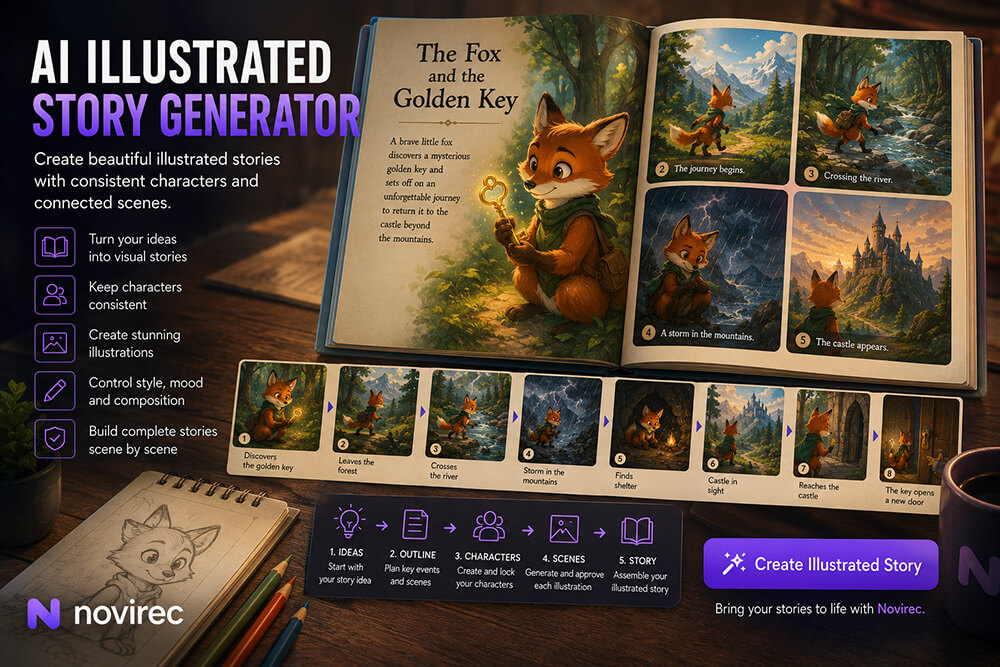

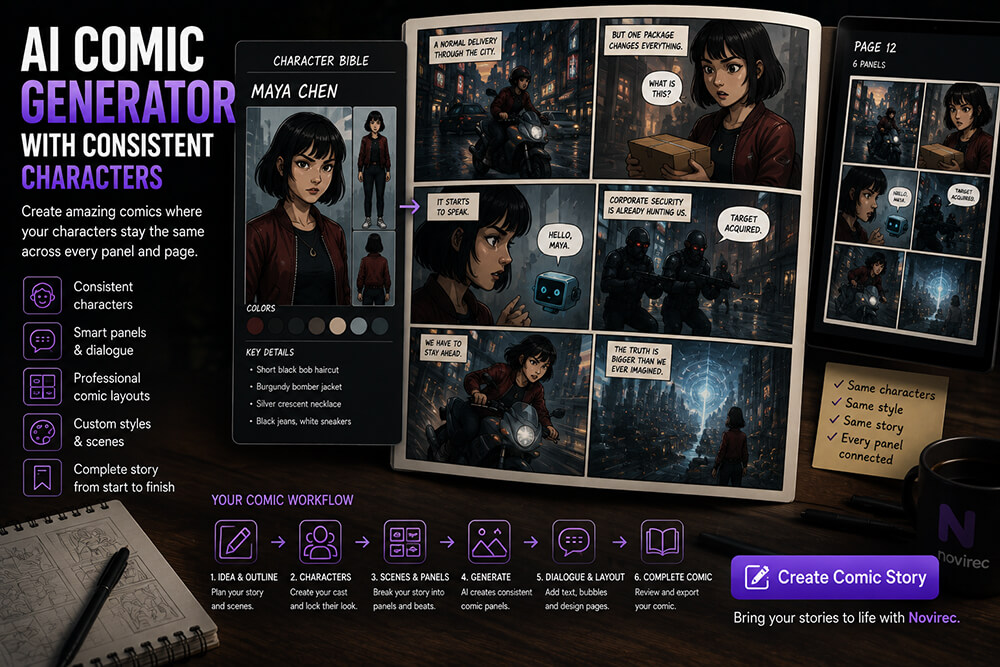
Creating one impressive AI comic panel is relatively easy.
Creating twenty panels where the same characters remain recognizable is much harder.
A hero’s hairstyle changes. A jacket suddenly becomes another color. A side character gets a different face. An important necklace disappears. Even the art style may drift from one panel to the next.
That is why a useful AI comic generator with consistent characters needs to do more than generate individual pictures.
It needs to treat the comic as a connected visual project containing recurring characters, scenes, dialogue, locations and story continuity.
Novirec’s current AI Stories workflow includes a dedicated Comic Story format designed around panels, dialogue, speech bubbles, captions and page layouts. The workflow moves from Brief and Outline through Characters and Scenes before reaching the Editor.
Create a Story with Novirec and start building your comic around a recurring cast instead of generating disconnected panels.
What Is an AI Comic Generator?
An AI comic generator helps transform a story into sequential visual panels.
At a basic level, that can mean generating an illustration and placing text around it.
A more complete workflow needs to manage several connected problems:
- recurring characters;
- story progression;
- panel composition;
- locations;
- props;
- dialogue;
- captions;
- visual style;
- page structure;
- continuity between panels.
Consider this short story:
Ava discovers that the abandoned subway beneath her city is secretly connected to another world.
A generic image generator could produce an image of Ava in a subway station.
But a comic requires a sequence.
Panel 1: Ava notices an unusual light behind a locked subway door.
Panel 2: She forces the door open.
Panel 3: A forgotten tunnel stretches into darkness.
Panel 4: Ava walks deeper underground.
Panel 5: Strange plants begin appearing along the walls.
Panel 6: The tunnel opens into an enormous glowing valley.
The value comes from what happens between those panels.
That is sequential storytelling.
Why Character Consistency Is So Important in Comics
Comics make inconsistency unusually visible because several images often appear next to each other.
Imagine these three adjacent panels:
Panel 1: Ava has short black hair and a red jacket.
Panel 2: Ava suddenly has shoulder-length brown hair.
Panel 3: Her jacket is now green.
A reader does not have several minutes between generations.
The three versions may be visible on the same page.
Even small differences can therefore become distracting.
A strong comic workflow needs to distinguish between:
Character identity
Features that should remain stable.
and
Panel variation
Pose, expression, camera angle and action that should change naturally.
That distinction is fundamental.
Consistency Does Not Mean Repeating the Same Image
A consistent character should not become visually frozen.
If your protagonist appears in twenty panels, you still want:
- different expressions;
- different poses;
- front, side and rear views;
- close-ups;
- wide shots;
- action;
- different lighting;
- interactions with other characters.
The goal is not:
Same picture twenty times.
It is:
Same recognizable person in twenty different story moments.
For example, a character can be:
angry in one panel, running in another, viewed from behind in a third and shown in extreme close-up later.
Those variations improve the comic.
The underlying identity should remain stable.
Start with a Character Bible
Before producing pages, define the characters who will return repeatedly.
For example:
Maya Chen
Age: 22
Hair: Short black bob with straight bangs
Eyes: Dark brown
Outfit: Burgundy bomber jacket, black jeans, white sneakers
Accessory: Silver crescent necklace
Build: Slim, medium height
Visual style: Clean cinematic graphic-novel illustration
The outfit and necklace become strong identity cues.
If Maya appears from behind, the reader may not see her face.
But they can still recognize:
- hairstyle;
- jacket;
- silhouette;
- necklace if visible;
- color palette.
Novirec currently describes its Character Bible as a canonical visual reference, with appearance rules, outfit, palette and continuity established before scene production.
That is especially useful for comics because the same cast can appear dozens of times.
Step 1 — Write the Story Before Designing Every Panel
You do not need a finished screenplay, but you should know what the comic is about.
Start with:
Beginning
What situation exists when the story starts?
Conflict
What changes or creates a problem?
Progression
What happens because of that problem?
Climax
What is the major confrontation or discovery?
Resolution
How does the situation end?
For example:
A delivery rider discovers that one package contains a miniature artificial intelligence that is being hunted by a powerful technology company.
That premise already gives you:
- protagonist;
- central object;
- antagonist;
- conflict;
- reason for movement;
- visual possibilities.
Now you can structure the actual sequence.
Step 2 — Break the Story into Scenes
Do not begin by deciding that every page needs six panels.
First identify the major scenes.
For the delivery-rider story:
Scene 1
Normal delivery route through the city.
Scene 2
A package starts speaking.
Scene 3
The rider discovers the AI device inside.
Scene 4
Corporate security arrives.
Scene 5
Escape through city streets.
Scene 6
The rider learns why the AI is being hunted.
Scene 7
They infiltrate a data center.
Scene 8
Final confrontation.
Scene 9
Resolution.
Once the scenes exist, you can decide how many panels each one deserves.
That produces better pacing than assigning an arbitrary number of images from the beginning.
Step 3 — Turn Scenes into Comic Beats
A scene is usually larger than a panel.
Consider:
Security agents enter the apartment while Maya escapes through the window.
You could divide it into:
Panel 1 — Wide shot
Security agents arrive outside.
Panel 2 — Close-up
Maya hears heavy knocking.
Panel 3 — Detail
Door handle begins turning.
Panel 4 — Medium shot
Maya grabs the device and runs toward the window.
Panel 5 — Close-up
Door bursts open.
Panel 6 — Wide shot
Maya jumps onto the fire escape.
Now the reader experiences the event.
If you use only one illustration showing everything simultaneously, much of the tension disappears.
Step 4 — Establish the Main Character Before Generating Pages
Do not generate page one, page two and page three while the protagonist’s appearance is still unresolved.
Instead:
Create character → review → approve → reuse
The visual identity becomes a production asset.
A good main-character reference should clearly establish:
- face;
- hair;
- clothing;
- colors;
- proportions;
- distinguishing details.
If the story intentionally changes the character later, create a new story state.
For example:
Maya — Normal outfit
Burgundy jacket, black jeans.
Maya — After rooftop escape
Same outfit, torn sleeve, dirt on jacket.
That is continuity.
A random blue jacket in the next panel is not.
Step 5 — Keep Secondary Characters Distinct
Consistency becomes more difficult when several recurring people look similar.
Suppose your comic has three protagonists:
Maya
Short black hair, burgundy jacket.
Eli
Curly blond hair, green hoodie, round glasses.
Nora
Long red braid, black coat, tall silhouette.
Their designs are immediately distinguishable.
Now imagine instead:
- all three have brown hair;
- all wear dark jackets;
- all have similar heights;
- all have similar facial shapes.
Even perfect consistency may not make the page easy to read.
Strong comic design uses recognizable visual identities.
Color, silhouette, hairstyle and accessories can help readers distinguish characters instantly.
Step 6 — Design Panels Around Story Information
Every panel should communicate something.
A panel might show:
Action
Maya jumps across a rooftop.
Reaction
Eli realizes the plan has failed.
Information
A screen reveals the location of the antagonist.
Location
The team arrives at the data center.
Emotion
Maya hesitates before making a difficult decision.
Transition
Night falls over the city.
A comic becomes slow when several consecutive panels communicate essentially the same information.
Ask:
What changes from this panel to the next?
If the answer is “almost nothing,” you may not need both.
How to Use Wide Shots, Medium Shots and Close-Ups
Visual variety improves pacing and clarity.
Wide shot
Useful for:
- establishing locations;
- showing groups;
- action;
- scale.
Medium shot
Useful for:
- conversations;
- body language;
- character interaction.
Close-up
Useful for:
- emotional reactions;
- important dialogue;
- dramatic discoveries.
Detail shot
Useful for:
- keys;
- phones;
- weapons;
- clues;
- hands;
- important objects.
A simple conversation can become more engaging by changing framing.
Instead of five identical portraits:
Panel 1: Wide view of both characters.
Panel 2: Medium shot of Maya speaking.
Panel 3: Close-up of Eli reacting.
Panel 4: Detail of an object on the table.
Panel 5: Close-up of Maya realizing what it means.
Now the sequence has visual rhythm.
Dialogue Should Not Fight the Illustration
An AI comic is not simply an illustrated screenplay.
Speech bubbles occupy physical space.
That means composition needs room for them.
If a character’s face fills the entire upper half of the panel, there may be nowhere natural to place dialogue.
When planning a dialogue-heavy scene, consider:
- character position;
- negative space;
- reading order;
- bubble size;
- number of speakers.
Do not force five paragraphs into a tiny panel.
Comics usually benefit from concise dialogue.
Speech Bubbles Need a Clear Reading Order
Readers should immediately understand which bubble comes first.
In left-to-right comics, dialogue generally needs to follow a natural visual sequence from upper-left toward lower-right.
Avoid layouts where the reader must guess:
Is this bubble first or that one?
The panel composition and text placement should work together.
Novirec’s current Comic Story format explicitly includes dialogue, speech bubbles, captions and page layouts, making those elements part of the comic workflow rather than treating the project as a folder of unrelated illustrations.
Use Captions for Information That Does Not Need Dialogue
Captions can efficiently communicate:
- location;
- time;
- narration;
- internal thoughts;
- transitions.
Examples:
Three hours later.
Northern District.
I should have known it was a trap.
This is often better than creating an artificial conversation solely to explain information.
For example, instead of:
“As you know, Maya, we have been searching for this laboratory for six months.”
a caption could simply say:
Six months after the search began…
Then the characters can speak naturally.
Keep Important Props Consistent
Characters are not the only recurring visual elements.
Suppose your comic revolves around a mysterious device.
In its first appearance it is:
- rectangular;
- black;
- transparent blue center;
- circular symbol;
- small crack on one corner.
Those details matter.
If the same object becomes a silver sphere three pages later, readers may interpret it as something else.
Treat important props almost like characters.
Create visual definitions for recurring:
- vehicles;
- weapons;
- books;
- jewelry;
- robots;
- magical artifacts;
- phones;
- devices;
- mascots.
Locations Also Need Visual Identity
Imagine your comic repeatedly returns to a detective’s office.
The first appearance establishes:
- narrow room;
- large window behind desk;
- green filing cabinets;
- old red sofa;
- neon sign visible outside.
Those details make the location recognizable.
If every return generates a completely different office, the world feels unstable.
For important locations, establish a few recurring anchors.
You do not need every chair to remain perfectly positioned.
You do need enough similarity for the reader to understand:
We are back in the same place.
Maintain Continuity Between Panels
Comic continuity includes more than character identity.
Consider a simple sequence:
Panel 1
Maya holds a flashlight in her right hand.
Panel 2
She opens the door with her left hand.
Panel 3
The flashlight has disappeared.
Panel 4
It suddenly returns in her left hand.
Small mistakes accumulate quickly.
Check:
- clothing;
- accessories;
- props;
- injuries;
- character positions;
- lighting;
- weather;
- time;
- environment;
- story state.
The closer two panels appear on the page, the more obvious continuity errors become.
Think About Screen Direction
Suppose a character walks toward the right side of the panel.
In the next panel, they suddenly move left without any visual reason.
The viewer may interpret that as turning around.
Screen direction is a basic but powerful storytelling tool.
If a character is traveling from left to right through several shots, keeping that general direction can reinforce forward movement.
Breaking the direction can be useful when intentional:
- character turns back;
- enemy appears;
- situation reverses.
The important word is intentional.
Consistency Across Different Camera Angles
One difficulty with AI comics is that a character who looks consistent from the front may change when shown:
- in profile;
- from behind;
- from below;
- from above.
That is why good character preparation should establish more than one recognizable feature.
If the face is unavailable in a rear view, readers can use:
- hairstyle;
- outfit;
- height;
- silhouette;
- accessories.
This also means a visual reference that only contains an extreme facial close-up may not provide everything needed for a full comic.
How Many Panels Should a Comic Page Have?
There is no universal rule.
A page might contain:
One panel
For a major reveal or dramatic full-page image.
Two or three panels
For slower, cinematic storytelling.
Four to six panels
For normal narrative progression.
More panels
For rapid action, montage or dense sequences.
Do not optimize for maximum panel count.
Optimize for readability and pacing.
A major discovery deserves visual space.
A quick transition may only need a small panel.
Use Panel Size to Communicate Importance
A powerful moment should not always receive the same visual weight as a minor transition.
Suppose the protagonist opens an ancient vault after fifty pages of searching.
A tiny panel may weaken the reveal.
You might instead use:
- a large half-page image;
- a wide cinematic panel;
- a full-page splash.
Conversely, a short action such as pressing an elevator button probably does not need half a page.
Panel size can function like timing in video.
Large panels make the reader pause.
Small panels can speed the sequence up.
Comics Need a Consistent Art Style Too
Character identity can remain stable while visual style changes dramatically.
For example:
Panel 1: clean cel-shaded anime
Panel 2: realistic cinematic painting
Panel 3: watercolor
Panel 4: 3D animation
Even if the character technically remains recognizable, the comic will likely feel fragmented.
Define the visual direction early.
Possible directions include:
- graphic novel;
- manga-inspired;
- western superhero comic;
- soft storybook;
- cinematic illustration;
- cartoon;
- minimalist line art.
Style should support the story.
A humorous slice-of-life comic may need a different aesthetic from a dark science-fiction thriller.
Can AI Create Manga?
AI can assist with manga-style sequential storytelling as well.
The same principles apply:
- recurring characters;
- panel composition;
- visual continuity;
- expressions;
- dialogue;
- pacing.
However, manga also has specific visual conventions around panel flow, motion, expressions and reading direction.
If you are creating right-to-left manga pages, the entire page structure and speech-bubble ordering should respect that reading direction.
Do not simply mirror individual illustrations after the page has been designed.
Can You Create a Comic from an Existing Story?
Yes.
A short story, script or narrative can be adapted into comic scenes.
The key is not to illustrate every sentence literally.
Consider this prose:
Adam spent three weeks following rumors through the northern settlements before finally discovering that the merchant had left for the coast.
A comic does not necessarily need twenty panels showing three weeks of travel.
You could use:
Panel 1: Adam traveling through snow.
Panel 2: Quick montage of several settlements.
Panel 3: Caption — “Three weeks later.”
Panel 4: Merchant’s abandoned shop.
Panel 5: Local resident points toward the coast.
The information remains while the visual storytelling becomes efficient.
Can You Create a Comic from Only an Idea?
Yes.
You can begin with something as short as:
Two astronauts discover that their supposedly empty moon base has been maintained by someone for years.
From there, develop:
- protagonists;
- mystery;
- setting;
- antagonist or explanation;
- key discoveries;
- climax;
- ending.
Then transform the outline into scenes and panels.
You do not need to manually write a 100-page script before experimenting with the concept.
AI Comic Generator vs AI Image Generator
An image generator solves:
What should this picture look like?
A comic workflow also needs to solve:
Why does this picture exist here?
Who appeared before it?
What happens afterward?
Is this still the same character?
Where should the dialogue go?
How does this panel fit on the page?
That is why comic creation benefits from a Story architecture rather than treating every image as an isolated generation.
Novirec currently combines image generation, multi-reference editing and AI Stories in the same platform, with its multi-reference workflow intended to help preserve characters, clothing, style and scene continuity.
Common AI Comic Generator Mistakes
Generating page one before designing the cast
Establish recurring characters first.
Treating every panel as an independent prompt
Panels belong to a sequence.
Using the same framing repeatedly
Vary wide, medium, close-up and detail shots.
Writing too much dialogue
Comics are visual. Let the images communicate.
Ignoring speech-bubble space
Leave room in the composition.
Changing clothing accidentally
Keep wardrobe rules stable unless the story intentionally changes them.
Forgetting props
Important objects must follow story logic.
Ignoring locations
Recurring spaces need recognizable characteristics.
Keeping beautiful but incorrect images
A gorgeous image that contradicts the previous panel can damage the sequence.
Using too many panels
More images do not automatically create better storytelling.
A Better AI Comic Workflow
A practical production sequence looks like this:
| Stage | Purpose |
|---|---|
| 1. Brief | Define the comic idea |
| 2. Outline | Establish beginning, conflict and ending |
| 3. Characters | Build the recurring cast |
| 4. Character references | Lock recognizable appearances |
| 5. Scenes | Divide the narrative into major moments |
| 6. Panels | Turn scenes into sequential visual beats |
| 7. Illustrations | Create and review the visuals |
| 8. Dialogue & captions | Add readable story text |
| 9. Page layout | Organize panel hierarchy and flow |
| 10. Continuity review | Check characters, props and environments |
The important principle is that character design happens before large-scale panel production.
That one decision can prevent many later corrections.
How Much Does It Cost to Create an AI Comic?
There is no fixed generation cost for every comic.
A project with:
- one protagonist;
- eight panels;
- simple environments;
will naturally require fewer generations than a multi-page comic containing:
- five recurring characters;
- complex locations;
- many alternative panel generations;
- extensive image editing.
Cost can also depend on the models and generation settings used.
Before joining, you can compare Novirec plans.
Existing users can manage plans and credits inside Studio.
A useful cost-saving rule is to approve characters and story structure before producing dozens of panels.
Correcting a character design once is cheaper than correcting it throughout an entire comic.
Who Can Use an AI Comic Generator?
AI comic workflows can be useful for:
- comic creators;
- writers;
- visual storytellers;
- webcomic creators;
- manga-inspired creators;
- teachers;
- marketers;
- social-media creators;
- concept artists;
- indie creators testing story ideas.
You do not necessarily need professional drawing skills.
You do need to make storytelling decisions.
AI can help create visual material, but you still decide:
- what happens;
- who matters;
- where the camera looks;
- which panel comes next;
- what the characters say;
- what the reader should feel.
That creative direction is what turns generated imagery into a comic.
Frequently Asked Questions
What is an AI comic generator with consistent characters?
It is a comic creation workflow designed to keep recurring characters visually recognizable across multiple panels and pages instead of generating a new interpretation of the character every time.
Can AI keep the same character across comic panels?
Character consistency can be improved significantly through stable character definitions, visual references and structured generation. Some generative variation can still occur, so reviewing panels remains important.
Does Novirec support AI comics?
Novirec currently lists Comic Story as one of its AI Stories formats, including panels, dialogue, speech bubbles, captions and page layouts.
What is a Character Bible?
A Character Bible establishes the canonical visual identity of a recurring character. Novirec currently describes it as containing appearance rules, outfit, palette and continuity information before scene production.
Should I create characters before generating comic panels?
For recurring characters, yes. Establishing the main cast first gives later panels a clearer visual reference and makes it easier to identify unwanted drift.
Can I create more than one recurring character?
Yes. Give each major character a distinct visual identity and maintain separate references for them. Strong differences in hairstyle, clothing, color and silhouette can also make the cast easier for readers to recognize.
Can I turn an existing story into an AI comic?
Yes. Break the story into major scenes, then convert those scenes into visual beats and panels. You usually do not need to illustrate every sentence.
Can I later turn comic scenes into video?
Approved story visuals can also provide a useful foundation for image-to-video workflows when selected moments would benefit from motion.
Create an AI Comic with Consistent Characters
A successful AI comic is not simply a sequence of beautiful images.
It is a sequence where the reader understands:
who is present, what is happening, what changed and what happens next.
That requires continuity.
Define your characters before filling pages.
Give important locations and props recognizable identities.
Break scenes into meaningful visual beats.
Use composition and panel size intentionally.
Keep dialogue concise.
And review each new image as part of the larger narrative rather than judging it in isolation.
Novirec’s Stories workflow is designed around that progression from the initial idea through characters and approved scenes to a final visual format.
Create a Story with Novirec and start building your comic with a recurring cast and connected scenes.
New to the platform? Create your Novirec account and begin your first AI comic project.
Ready to put this workflow into practice?
Open Novirec Studio and start creating with the same tools covered in this guide.