
An AI illustrated story generator can turn an idea into much more than a collection of attractive pictures.
A real illustrated story combines narrative structure with visual continuity. Characters need to remain recognizable. Locations should feel connected. Important objects must persist when the story needs them. And each illustration should represent a meaningful moment rather than simply repeating the same character in different poses.
Novirec approaches illustrated storytelling as a complete project. You can develop the story, prepare recurring characters, create scenes and work toward a finished illustrated narrative inside one guided workflow.
Ready to start? Create a Story with Novirec and begin building your illustrated story scene by scene.
What Is an AI Illustrated Story Generator?
An AI illustrated story generator helps transform a narrative into a sequence of images and story moments.
Instead of generating a single image, the workflow considers several elements together:
- the overall story;
- recurring characters;
- scene progression;
- visual style;
- locations;
- important objects;
- image composition;
- the final reading experience.
Imagine a simple story:
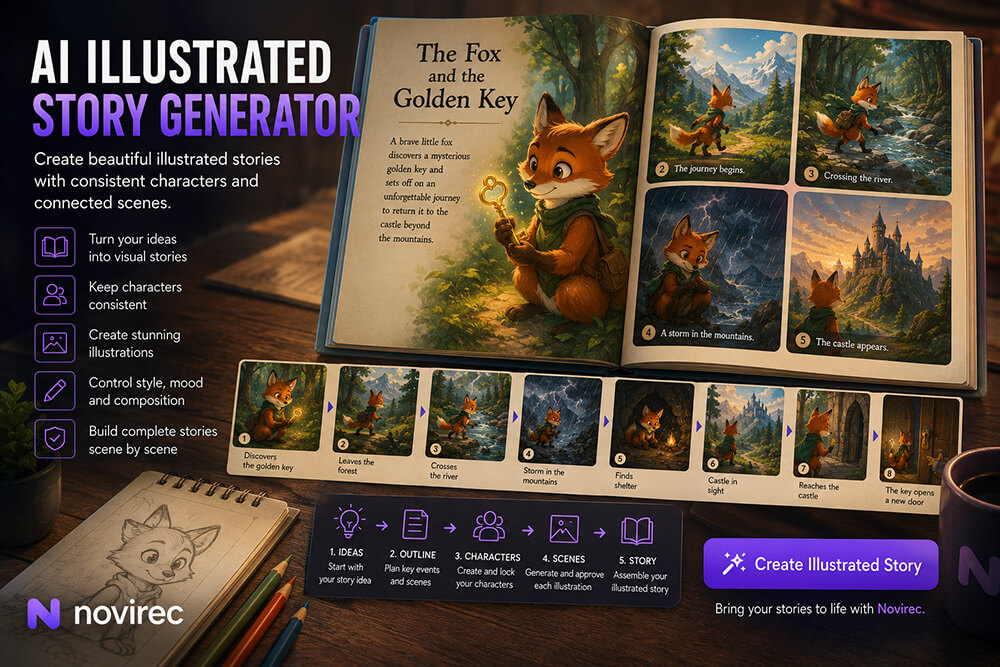
A young fox leaves its forest home to return a mysterious golden key to a castle on the other side of the mountains.
A normal image generator could easily create:
- a fox;
- a golden key;
- a forest;
- a castle.
But that does not automatically produce an illustrated story.
The real challenge is turning those elements into a sequence:
- The fox discovers the key.
- It leaves the forest.
- It crosses a river.
- A storm begins in the mountains.
- The fox finds shelter.
- The castle finally appears in the distance.
- The fox reaches the castle gate.
- The key opens a forgotten door.
Now the images are not independent.
They form a narrative.
Illustrated Story vs Random AI Images
This distinction is important.
| Random AI Images | Illustrated Story |
|---|---|
| Each picture can stand alone | Every image belongs to a sequence |
| Character changes may not matter | Recurring characters should remain recognizable |
| No required order | Scene order affects the narrative |
| Backgrounds can be unrelated | Locations should support story continuity |
| Prompts are independent | Previous scenes influence later ones |
| Image quality is the main concern | Storytelling + image quality both matter |
A visually beautiful image can still be a poor story illustration if it contradicts what happened before.
For example, imagine the fox loses the golden key in scene four.
If scene five suddenly shows the key hanging around its neck again, the illustration may look excellent while breaking the story.
That is why illustrated storytelling requires continuity, not only image generation.
How an AI Illustrated Story Workflow Works
A practical workflow can be divided into five main stages:
Idea → Story Structure → Characters → Scenes → Illustrated Story
Each stage solves a different problem.
1. Start with the idea
The initial concept does not need to be complicated.
For example:
A lonely lighthouse keeper discovers that the strange lights appearing at sea every night are being created by a tiny floating city.
From that sentence, you already know:
- protagonist;
- setting;
- mystery;
- visual direction;
- central discovery.
That is enough to begin.
2. Define the story progression
Next, decide what changes from beginning to end.
A possible sequence could be:
- The keeper works alone in the lighthouse.
- A strange light appears beyond the horizon.
- It returns every night.
- The keeper takes a small boat to investigate.
- A storm surrounds the boat.
- The clouds clear.
- A floating city appears above the water.
- Its inhabitants invite the keeper inside.
- The keeper returns to the lighthouse with a new purpose.
Now the story has a visual rhythm.
3. Prepare recurring characters
Before generating every illustration, establish the characters who will appear repeatedly.
4. Create one scene at a time
Each scene should communicate a specific event.
5. Assemble the complete illustrated narrative
Once the individual scenes work together, they become a story rather than a gallery.
Character Consistency Matters More Than You Think
Suppose your protagonist is:
Lina, a 10-year-old girl with curly brown hair, a yellow raincoat, red boots and a small green backpack.
Scene one looks perfect.
Then:
- the raincoat becomes orange;
- her hair becomes straight;
- her boots disappear;
- the backpack changes color;
- her facial features change.
None of those changes may seem catastrophic individually.
But by page eight, Lina may no longer look like the same character.
Illustrated stories make this especially noticeable because readers often spend more time looking at individual images than they would during a fast video sequence.
A recurring character needs a stable visual foundation.
Useful identity elements include:
- face;
- hairstyle;
- approximate age;
- body proportions;
- main outfit;
- color palette;
- signature accessories;
- visual style.
Novirec’s story workflow is designed around preparing recurring characters before the complete set of scenes is generated.
Create the Character Before Creating the Whole Book
A common mistake is:
Story ready → generate 20 pages immediately.
A more controlled workflow is:
Story ready → establish protagonist → approve appearance → create scenes.
For example:
Character profile
Name: Lina
Age: 10
Hair: Curly dark-brown shoulder-length hair
Eyes: Hazel
Outfit: Yellow raincoat and red boots
Accessory: Small green backpack
Style: Soft stylized storybook illustration
Once that visual identity is established, every scene has a reference point.
Scene settings can change dramatically.
Lina can appear:
- inside her bedroom;
- walking through rain;
- aboard a train;
- exploring a forest;
- standing inside a castle.
The environment changes.
The character does not need to be reinvented.
What Makes a Good Illustrated Story Scene?
Every illustration should answer one important question:
What does this image add to the story?
A useful scene may:
- introduce a character;
- establish a location;
- reveal a clue;
- show an important action;
- introduce a problem;
- change the character’s situation;
- communicate an emotion;
- resolve part of the story.
Consider this sentence:
Daniel spends the afternoon searching the old library.
You could generate five nearly identical images of Daniel looking at books.
But that may not improve the story.
Instead:
Scene 1: Daniel enters the enormous library.
Scene 2: He notices a locked section behind a staircase.
Scene 3: He finds a strange symbol inside an old book.
Now each picture advances the narrative.
How Many Illustrations Should an AI Story Have?
There is no universal number.
A very short illustrated story might work with:
5–8 images
A more developed story may use:
10–20 images
A storybook could contain considerably more.
The important question is not:
How many pictures can AI generate?
It is:
How many pictures does this story actually need?
A simple test is to remove one planned scene.
If the narrative still works exactly the same, that illustration may not be necessary.
Use Establishing Images to Introduce the World
Not every illustration needs to focus closely on the protagonist.
Wide images can help establish where the story takes place.
For example:
A small fishing village beneath enormous snow-covered mountains, early morning mist over the harbor.
This communicates context immediately.
Later illustrations can move closer to the characters.
A useful visual sequence might alternate between:
- wide environments;
- character-focused scenes;
- close-up emotional moments;
- important objects;
- action moments.
This gives the story visual variety.
Use Close-Ups for Emotion
Illustrated storytelling is not only about showing events.
Images can communicate emotional changes.
Suppose your protagonist discovers that a friend has disappeared.
A wide image of the whole room may establish the location.
But a close-up of the protagonist’s expression may communicate the emotional moment much better.
Close-ups are useful for:
- surprise;
- fear;
- happiness;
- sadness;
- realization;
- determination.
A story feels stronger when composition reflects narrative importance.
Props Can Become Part of the Story
Important objects need continuity too.
Imagine a story built around an ancient compass.
The compass appears in scene two.
Then the protagonist carries it through several scenes.
Later, it points toward a hidden doorway.
If its shape changes dramatically each time, the reader may not understand that it is the same object.
Important recurring props can include:
- books;
- keys;
- swords;
- toys;
- maps;
- vehicles;
- necklaces;
- magical objects;
- tools.
For significant story objects, treat their appearance almost like a character design.
Locations Need Continuity Too
Imagine your story repeatedly returns to a cottage.
The first illustration shows:
- blue front door;
- circular upstairs window;
- stone walls;
- large tree on the right;
- mountains behind the house.
If the next scene shows:
- red door;
- three rectangular windows;
- wooden walls;
- no tree;
the audience may assume it is another house.
Recurring locations benefit from their own visual anchors.
A simple description might be:
Small gray stone cottage, blue wooden door, one round upstairs window, large oak tree to the right, mountain ridge behind.
When the location returns, those details help preserve recognition.
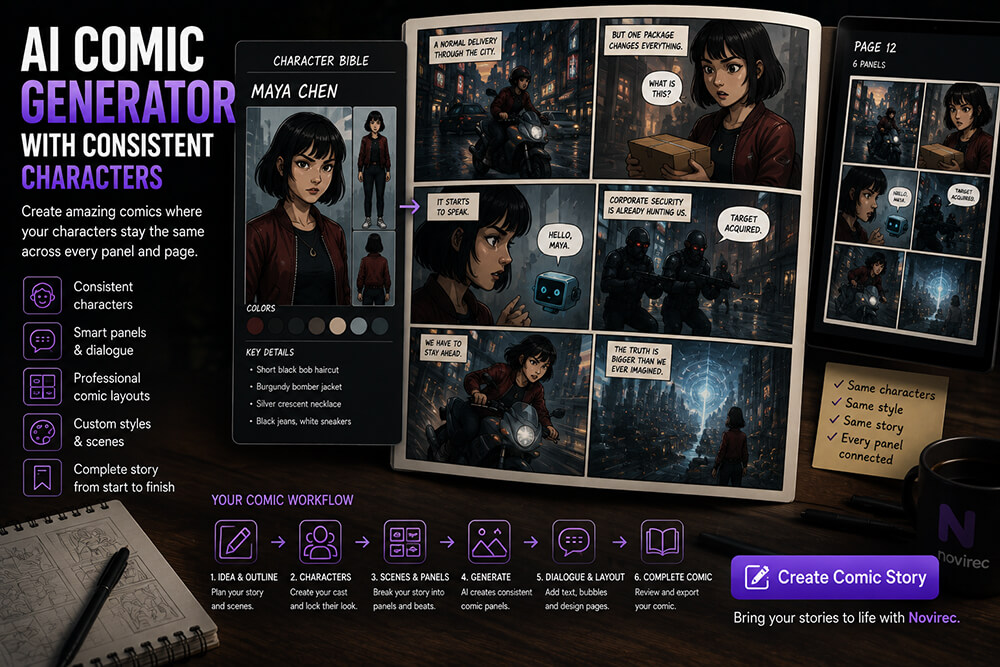
Illustrated Story vs Comic Story
These formats both use sequential images, but the reading experience is different.
Illustrated Story
Usually emphasizes:
- larger individual illustrations;
- narrative text;
- fewer images per page;
- atmospheric storytelling;
- descriptive writing.
Comic Story
Usually emphasizes:
- panels;
- dialogue;
- speech bubbles;
- captions;
- action broken into smaller visual beats.
Consider:
Maya opens the door and sees a dragon.
An illustrated story might use one large dramatic image.
A comic might divide it into:
- Maya reaches for the handle.
- Door begins opening.
- Close-up of Maya’s eyes.
- Dragon revealed.
- Maya reacts.
Neither approach is inherently better.
They simply tell the story differently.
Novirec’s broader Story workflow separates Illustrated Story and Comic Story so creators can choose the format that fits the narrative.
Illustrated Story vs Video Story
Video introduces motion and timing.
An illustrated story lets the reader control the pace.
This can be valuable when:
- text is important;
- illustrations contain details worth studying;
- the project resembles a picture story or book;
- motion is unnecessary;
- you want a simpler production workflow.
Video may be a better choice when:
- movement is essential;
- narration matters;
- music adds emotional value;
- the final content is designed for video platforms.
You do not need to animate a story simply because AI video exists.
The right format is the one that serves the narrative.
How to Write Better Prompts for Illustrated Story Scenes
Avoid putting the entire plot inside every image prompt.
Instead, describe what should actually be visible.
Weak scene prompt
A girl called Olivia who grew up in a village and has always wanted to explore the mountains discovers an ancient temple after traveling for several days.
This contains narrative history that may not affect the image.
Better visual description
Olivia stands at the entrance of an ancient stone temple hidden between snow-covered mountain cliffs. She holds a lantern in one hand and looks upward in amazement. Early evening light, adventurous storybook illustration.
This gives the generation more concrete visual information.
A good scene description usually includes:
Who
Who is visible?
What
What are they doing?
Where
What environment surrounds them?
Composition
Wide, medium or close-up?
Mood
Peaceful, mysterious, joyful, tense?
Important continuity details
What must remain recognizable?
Avoid Repeating the Character Description Manually Forever
For a simple project, repeating character details can work.
For a longer story, it becomes tedious and error-prone.
One scene may say:
yellow jacket.
Another accidentally says:
yellow coat.
Another forgets the clothing entirely.
Another changes the hair.
A dedicated Story workflow can preserve those character decisions separately from the temporary description of each scene.
This is one reason structured story creation is valuable.
Permanent identity belongs to the character.
Temporary action belongs to the scene.
Different Art Styles Can Change the Entire Story
The same narrative can feel completely different depending on visual direction.
For example:
Soft watercolor
Works well for gentle, emotional stories.
Colorful cartoon
Suitable for playful adventures and younger audiences.
Cinematic digital illustration
Useful for fantasy, science fiction and dramatic stories.
Simple line art
Can create a minimalist or educational appearance.
Graphic novel style
Works well for darker or more dramatic narratives.
Choose the direction early.
Changing from watercolor to 3D animation halfway through the story will usually make the project feel disconnected unless the style shift is intentional.
Use Color to Reinforce Story Progression
Color can become part of the narrative.
Suppose a story begins with a lonely character.
Early scenes could visually feel colder or quieter.
As the character finds friends, later scenes may become warmer and brighter.
You do not need to impose rigid color rules, but visual evolution can support emotional progression.
Another example:
Beginning: warm daylight
Conflict: storm and darker environments
Climax: deep dramatic colors
Resolution: sunrise
The images can communicate narrative mood without adding more text.
Can AI Create Children’s Illustrated Stories?
Yes, and this is one of the clearest uses for illustrated-story workflows.
A simple children’s story usually benefits from:
- a small cast;
- recognizable characters;
- clear visual actions;
- colorful locations;
- straightforward scene progression.
For example:
A little penguin wants to learn how to fly a kite.
Possible scenes:
- Penguin finds the kite.
- Penguin tries to launch it.
- The kite falls into the snow.
- A seal offers help.
- They climb a hill.
- Wind catches the kite.
- They celebrate together.
This does not require complicated cinematography.
It requires clear, charming and consistent visual storytelling.
Can You Make an Illustrated Story from an Existing Text?
Yes.
The process is essentially adaptation.
Take the written story and identify:
- main characters;
- recurring locations;
- key objects;
- major events;
- emotional turning points;
- beginning;
- climax;
- resolution.
Then decide which moments deserve illustrations.
Do not feel obligated to illustrate every paragraph.
A good illustration can represent several paragraphs at once.
Can You Start from Only a Short Idea?
Yes.
You do not need a finished manuscript before starting a visual project.
An idea such as:
A lonely astronaut finds a tiny garden growing inside an abandoned space station.
already contains enough information to develop:
- protagonist;
- location;
- mystery;
- visual theme;
- emotional direction.
The story can expand while you plan the scenes.
For creators who prefer working visually, seeing early characters and scenes may even help shape the narrative itself.
How to Review an AI Illustration Before Approving It
Do not judge only whether the picture looks impressive.
Use a story-focused review.
Character
Is the correct character present?
Identity
Does the character still look recognizable?
Clothing
Is the wardrobe appropriate for this part of the story?
Environment
Is this the correct location?
Props
Are necessary objects present?
Action
Does the picture actually represent the scene?
Composition
Is the main narrative information easy to understand?
Style
Does it fit the rest of the project?
Continuity
Does anything contradict the previous scene?
A scene should pass both tests:
Good image?
and
Correct story image?
Common Mistakes When Creating AI Illustrated Stories
Creating images before planning the story
This often results in a gallery rather than a narrative.
Generating all scenes before approving characters
Visual drift becomes harder to fix later.
Changing prompts too aggressively
Large prompt changes can alter more than the intended scene detail.
Using too many illustrations
More images can slow the story instead of improving it.
Reusing the same composition
Ten medium shots of the protagonist can become monotonous.
Ignoring backgrounds
Recurring environments matter almost as much as recurring characters.
Forgetting important props
Story objects should persist logically.
Mixing styles without intention
Choose a visual direction and maintain it.
Keeping a beautiful but incorrect image
Story coherence is more important than one impressive generation.
How Much Does an AI Illustrated Story Cost?
The required amount of generation depends on the project rather than on a fixed number of pages.
Factors include:
- number of story scenes;
- number of recurring characters;
- selected image models;
- number of alternative generations;
- revisions;
- editing;
- output requirements.
A six-image story with one protagonist will naturally require fewer generations than a thirty-page story with several recurring characters and complex locations.
If you are evaluating Novirec before registering, you can compare Novirec plans.
Already using the platform? View plans and credits inside Studio to manage generation capacity.
Who Is an AI Illustrated Story Generator For?
Illustrated-story workflows can be useful for:
- writers;
- children’s story creators;
- parents;
- teachers;
- fantasy storytellers;
- content creators;
- comic artists exploring another format;
- creators building recurring fictional characters;
- marketers telling brand stories;
- beginners who want visual storytelling without producing a full video.
The most important requirement is simple:
You have an idea that should unfold through multiple connected images.
A Simple Illustrated Story Checklist
Before considering the story finished, verify:
- Does the narrative have a clear beginning?
- Are recurring characters recognizable?
- Does every illustration add something?
- Are important props consistent?
- Do recurring locations remain recognizable?
- Does the visual style remain coherent?
- Is the sequence easy to follow?
- Is there enough variation in composition?
- Does the climax receive enough visual emphasis?
- Does the final image feel like a resolution?
If several answers are no, improving the story structure may be more valuable than generating additional images.
Frequently Asked Questions
What is an AI illustrated story generator?
An AI illustrated story generator helps turn a narrative into a sequence of AI-generated visual scenes. Unlike a standalone image generator, it needs to account for recurring characters, scene order and visual continuity across the complete story.
Can AI generate a complete illustrated story?
AI can assist with characters, individual scene illustrations and narrative development. The strongest results usually come from treating the project as a sequence of reviewed scenes rather than automatically accepting every generation.
Can the same character appear in every illustration?
Yes, character consistency can be improved by establishing a canonical character design and reusing visual references throughout the story. Some generative variation can still occur, which makes scene review important.
How many images should an illustrated story contain?
There is no fixed amount. Short stories may work with five to eight illustrations, while larger projects may require many more. Each image should represent a meaningful narrative beat rather than being added simply to increase page count.
Can I create a children’s illustrated story with AI?
Yes. Stories with a small recurring cast, simple progression and strong visual identity are particularly well suited to illustrated formats.
Is an illustrated AI story the same as an AI comic?
No. Illustrated stories generally combine larger images with narrative text, while comics rely more heavily on panels, dialogue, speech bubbles and sequential actions.
Can I later turn my illustrated story into a video?
Individual approved illustrations can provide useful visual foundations for image-to-video generation when you decide that certain scenes would benefit from motion.
Create Your Illustrated Story with AI
An illustrated story succeeds when the reader stops thinking about individual AI generations and starts following the characters and narrative.
That requires more than attractive images.
Build the story first.
Establish the recurring cast.
Choose the moments worth illustrating.
Create each scene with purpose.
Review continuity.
Then assemble the images into a visual sequence that feels intentional from beginning to end.
Create a Story with Novirec and start building your illustrated narrative scene by scene.
New to Novirec? Create your account and begin your first visual storytelling project.
Ready to put this workflow into practice?
Open Novirec Studio and start creating with the same tools covered in this guide.